

Both models accept text and image inputs and return images. Use
POST /v1/images/generations to create an image from text, or POST /v1/images/edits to edit one or more uploaded images.
What changed in GPT Image 2.5
- Higher reference fidelity — Subjects, distinctive features, lighting, and textures are more likely to remain recognizable after transformation.
- More precise edits — The model is better at changing the requested element while preserving the surrounding subject, composition, and visual treatment.
- More consistent iteration — Successive edits are less likely to undo earlier changes or degrade image quality.
- Faster generation — OpenAI positions Flare as the default choice for most applications and reports up to 50% lower latency than GPT Image 2.
- Better layout handling — Complex visual instructions, transparent backgrounds, and layout-sensitive creative work are more reliable.
Official editing example
This OpenAI launch example changes the subject’s clothing while preserving the person, pose, printed-photo setting, and blue background.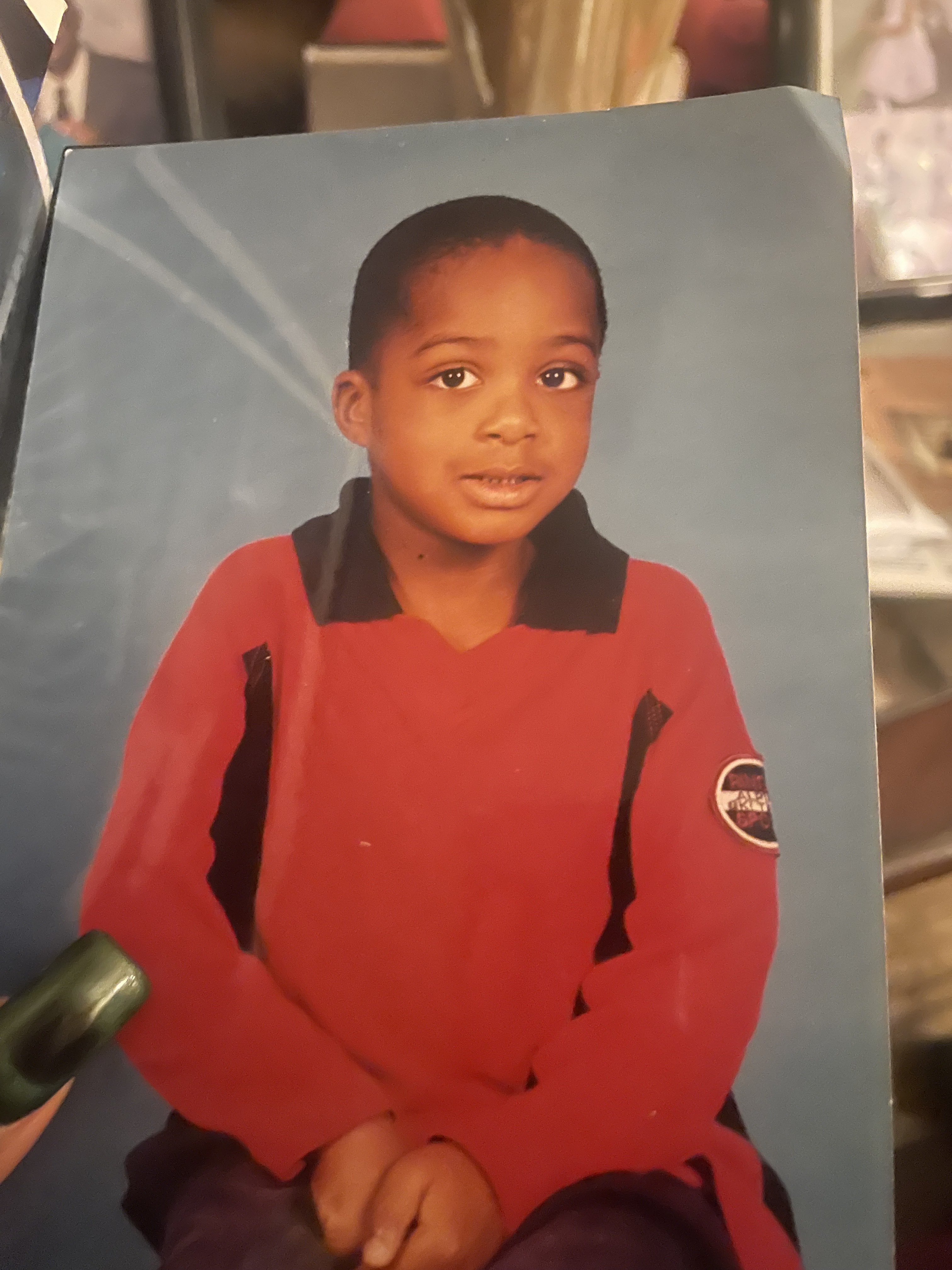
Input — OpenAI official example
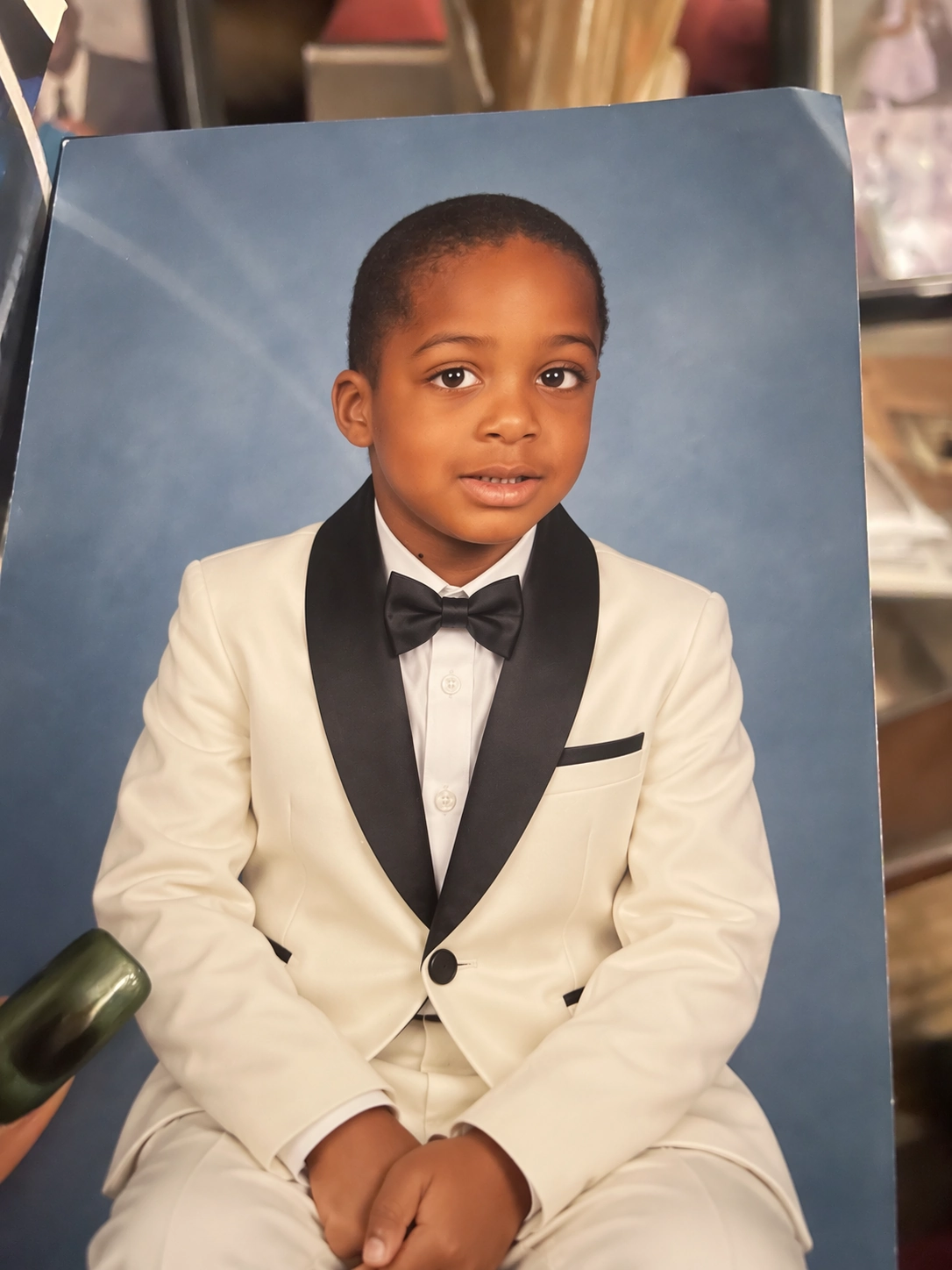
Edited result — OpenAI official example
These assets come from the OpenAI GPT Image 2.5 launch article. They illustrate upstream model behavior and are not presented as an AnyFast-generated validation result.
Key capabilities
- Text-to-image — Generate an image from a natural-language prompt
- Image editing — Apply broad or localized edits to uploaded images
- Flexible dimensions — Use recommended sizes or valid custom
WIDTHxHEIGHTdimensions up to 4K - Expanded quality controls — Select
low,medium,high,xhigh,max, orauto - Transparent output — Request a transparent background with PNG or WebP output
- Multiple outputs — Use
nto request more than one result in one generation request
- Generate images
- Edit images
Send a JSON request to
POST /v1/images/generations. Choose Sunburst for maximum editing and rendering precision, or Flare when latency matters more.cURL
Output controls
Custom size rules
Custom dimensions must satisfy all of the following requirements:- Width and height are multiples of 16 pixels.
- The aspect ratio is between
1:3and3:1. - Neither edge exceeds 3,840 pixels.
- Total pixels are between 655,360 and 8,294,400.
- Resolutions above
2560x1440are experimental.
Image editing inputs
- For JSON requests, pass up to 16 objects in
images. Each object usesfile_idfor an uploaded File API asset orimage_urlfor a fully qualified URL or Base64-encoded data URL. images[].image_urluses URI format and has a maximum length of20,971,520characters.- For multipart requests, upload a single source image with
image, or up to 16 source images withimage[]. - Do not combine JSON
imagesreferences with multipartimageorimage[]fields. - An optional mask must have an alpha channel and match the first source image’s format and dimensions.
- The source image and mask must each be smaller than 50 MB.
Response handling
GPT Image models return image data indata[].b64_json. Decode the Base64 value and save it using the extension reported by output_format. The response_format parameter used by DALL·E models does not apply to GPT Image 2.5.
Decode the first result
The upstream OpenAI API also lets supported mainline models call GPT Image 2.5 through the Responses API image-generation tool. This page documents the direct AnyFast Image API endpoints.
GPT Image 2.5 API Reference
View generation and editing request fields and response schemas.