> ## Documentation Index
> Fetch the complete documentation index at: https://docs.anyfast.ai/llms.txt
> Use this file to discover all available pages before exploring further.
# Seedance 2.5 Flash
> Generate 4–30 second videos with Seedance 2.5 Flash using text, images, videos, audio, editing, and extension workflows.
Seedance 2.5 Flash is a multimodal video generation model for coherent long-form shots, multimodal references, precise editing, video extension, and native multilingual audio. Use the AnyFast model ID `seedance-2.5-flash` with `POST /v1/video/generations`.
> [!NOTE]
>
> For specific content requests, select the `seedance-2.5-flash-nsfw` model under the `Direct` resource group. The NSFW model ID adds the `-nsfw` suffix to the standard model ID.
> [!NOTE]
>
> BytePlus ModelArk lists the upstream model version as `dreamina-seedance-2-5-flash-261115`. AnyFast exposes the model through the public ID `seedance-2.5-flash` (or the Direct-only `seedance-2.5-flash-nsfw` variant).
## What's new
* Generate one coherent video up to 30 seconds long.
* Reference up to 20 media items: 10 images, 5 videos, and 5 audio clips.
* Generate from audio references alone, without an image or video reference.
* Let the model choose aspect ratio and duration with `ratio: "adaptive"` and `duration: -1`.
* Preserve source dimensions and timing automatically in editing, extension, and frame-guided workflows.
* Generate 480p or 720p output.
* Generate spoken or sung audio in 11 supported languages.
> [!WARNING]
>
> Seedance 2.5 Flash does not support Draft mode. Do not send `draft: true`; the two-step Draft workflow is available for the standard Seedance 2.5 model, not Flash.
| Capability | Seedance 2.5 Flash limit |
| - | - |
| Output duration | `-1` for automatic duration, or an integer from 4–30 seconds |
| Reference images | Up to 10 |
| Reference videos | Up to 5; 2–30 seconds each, 30 seconds total |
| Reference audio | Up to 5; 2–30 seconds each, 30 seconds total |
| Audio-only reference | Supported |
| Resolution | 480p or 720p |
| Aspect ratio | 21:9, 16:9, 4:3, 1:1, 3:4, 9:16, or adaptive |
| Synchronized audio | Supported |
| Web search | AnyFast gateway tool for text-to-video when enabled; not listed as a Flash model capability in BytePlus's model table |
| Return final frame | Supported |
## Capability examples
> [!NOTE]
>
> The visual examples below are shared Seedance 2.5 series examples from BytePlus documentation. They illustrate supported workflow patterns and are not AnyFast validation outputs for the Flash model; the source examples may use the full Seedance 2.5 model and its higher reference limits.
> [tab] 30-second narrative
>
> A time-coded prompt can divide one continuous story into several acts. This example moves from a brass clock and mechanical city to an ocean voyage and a moonlit ridge, then returns to the opening clock face.
>
> 
>
> Reference image
>
>
>
> 30-second output
> [tab] Multimodal references
>
> This advertising example uses one product image and six motion/composition videos. In the prompt, `@image1` defines the product while `@video1` through `@video6` assign composition, camera movement, impact, rhythm, typography, and final framing.
>
> 
>
> Product reference image
>
> > [accordion] View the six reference videos
> >
> >
> >
> > Reference video 1 — composition
> >
> >
> >
> > Reference video 2 — movement
> >
> >
> >
> > Reference video 3 — impact
> >
> >
> >
> > Reference video 4 — rhythm
> >
> >
> >
> > Reference video 5 — typography
> >
> >
> >
> > Reference video 6 — final framing
>
>
>
> Combined multimodal output
> [tab] Video editing
>
> The prompt removes background people while preserving the main subject. With `ratio: "adaptive"` and `duration: -1`, the result keeps the input video's 5:4 ratio and approximately 16-second duration.
>
>
>
> Input video (MOV)
>
>
>
> Edited output (MOV)
> [tab] Video extension
>
> The prompt extends the first video, moves through the interior shown in the second, and ends by entering the artwork from the third. The output follows the 7:5 ratio of the first video selected for extension.
>
> > [accordion] View the three reference videos
> >
> >
> >
> > Video 1 — extension source
> >
> >
> >
> > Video 2 — gallery interior
> >
> >
> >
> > Video 3 — artwork
>
>
>
> Extended output (MOV, 7:5)
> [tab] First and last frames
>
> The first frame determines the output ratio. The prompt asks the subject to speak to the camera while the camera completes a 360-degree orbit, transitioning toward the last frame.
>
> 
>
> First frame
>
> 
>
> Last frame
>
>
>
> First-and-last-frame output
> [tab] Native languages
>
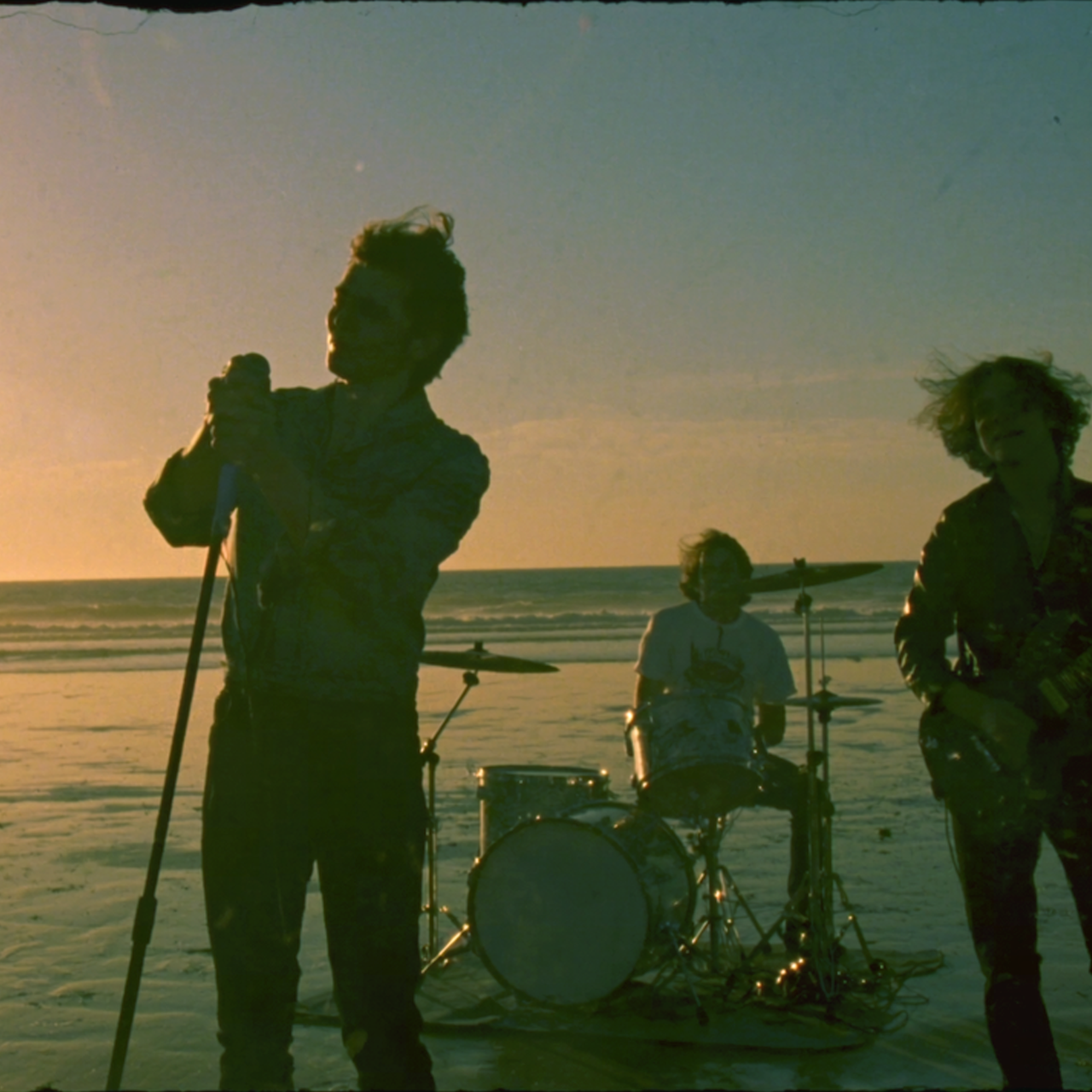
> This music-video example switches among eight greetings while preserving rhythm and lip synchronization. Seedance 2.5 Flash supports 11 languages in total.
>
> 
>
> Band reference image
>
>
>
> Multilingual audio output
## Task types and classification
Seedance 2.5 Flash classifies each request from the media `role` values and the prompt intent. You can also use `omni_reference_task_type` to select the reference, editing, or extension workflow explicitly. It supports five task families.
| Task | How it is detected | Aspect ratio | Duration |
| - | - | - | - |
| Text-to-video | Text prompt without reference media | Explicit ratio or `adaptive` | `-1` or 4–30 |
| Reference-to-video | One or more `reference_image`, `reference_video`, or `reference_audio` items | Explicit ratio or `adaptive` | `-1` or 4–30 |
| Video editing | Reference media plus editing intent such as add, remove, replace, modify, or repair | Must be `adaptive` | Must be `-1` |
| Video extension | Reference media plus extension intent such as extend forward/backward, continue, or carry on | Must be `adaptive` | `-1` or 4–30 |
| First/last-frame generation | An image with `first_frame`, optionally followed by `last_frame` | Must be `adaptive` | `-1` or 4–30 |
> [!WARNING]
>
> Editing, extension, and frame-guided restrictions are checked after the model classifies the task. The create request can initially return a task ID and then fail asynchronously with `InvalidParameter.TaskTypeConstraint`. If several parameters are invalid, the asynchronous error may list them together.
For ordinary reference generation, avoid editing or extension phrases unless that is the intended workflow. Such phrases can cause the model to classify the request as editing or extension and apply the stricter parameter rules.
### Select the reference task type explicitly
Use `omni_reference_task_type` to control how a request containing reference media is processed. The supported values are:
| Value | Behavior | Requirements |
| - | - | - |
| `auto` | Infer reference, editing, or extension behavior from the media and prompt | Use when you want the model to classify the workflow |
| `reference` | Process the request as multimodal reference generation | Provide `reference_image`, `reference_video`, or `reference_audio` |
| `edit` | Process the request as video editing | Provide `reference_video` and use `ratio: "adaptive"` with `duration: -1` |
| `extend` | Process the request as video extension | Provide `reference_video` and use `ratio: "adaptive"`; an explicit duration must be longer than the source video |
If you omit this field, the model still classifies the request from the media roles and prompt intent. Set it explicitly when you need a predictable workflow.
## Smarter duration and aspect ratio control
Set `ratio` to `adaptive` and `duration` to `-1` to let Seedance 2.5 Flash choose output dimensions and timing. Editing, extension, and first-frame/first-and-last-frame tasks have special behavior.
### Video editing
For editing, `ratio` defaults to and only accepts `adaptive`. The output follows the aspect ratio of the video selected for editing. `duration` defaults to and only accepts `-1`, so the result stays close to the source duration.
The output can have a fractional duration and may be up to 0.4 seconds shorter than the source because of input-frame processing.
### Video extension
For extension, `ratio` defaults to and only accepts `adaptive`. The output follows the aspect ratio of the video being extended. Set `duration` to `-1` for automatic timing or choose an integer from 4–30.
### First-frame and first-and-last-frame generation
For frame-guided generation, `ratio` defaults to and only accepts `adaptive`. The output follows the first frame's aspect ratio. Set `duration` to `-1` or an integer from 4–30.
### Text and reference generation
For text-to-video and ordinary reference-to-video, `adaptive` selects the best ratio from 21:9, 16:9, 4:3, 1:1, 3:4, and 9:16. With `duration: -1`, the model selects an integer duration from 4–30 seconds.
## Create a task
> [tab] Text to video
>
> ```bash cURL theme={null}
> curl --request POST \
> --url https://www.anyfast.ai/v1/video/generations \
> --header 'Authorization: Bearer YOUR_API_KEY' \
> --header 'Content-Type: application/json' \
> --data '{
> "model": "seedance-2.5-flash",
> "content": [{
> "type": "text",
> "text": "A 20-second cinematic tracking shot through a miniature steampunk city at golden hour"
> }],
> "generate_audio": true,
> "resolution": "720p",
> "ratio": "16:9",
> "duration": 20,
> "output_format": "mp4"
> }'
> ```
> [tab] Multimodal reference
>
> Use `@image1`, `@video1`, and `@audio1` to reference media by type and order. The text prompt is optional for reference generation.
>
> ```bash cURL theme={null}
> curl --request POST \
> --url https://www.anyfast.ai/v1/video/generations \
> --header 'Authorization: Bearer YOUR_API_KEY' \
> --header 'Content-Type: application/json' \
> --data '{
> "model": "seedance-2.5-flash",
> "omni_reference_task_type": "reference",
> "content": [
> {"type":"text","text":"@image1 performs the motion from @video1, paced to @audio1"},
> {"type":"image_url","image_url":{"url":"https://example.com/character.jpg"},"role":"reference_image"},
> {"type":"video_url","video_url":{"url":"https://example.com/motion.mp4"},"role":"reference_video"},
> {"type":"audio_url","audio_url":{"url":"https://example.com/music.mp3"},"role":"reference_audio"}
> ],
> "generate_audio": true,
> "ratio": "16:9",
> "duration": 15,
> "output_format": "mp4"
> }'
> ```
>
> See the **Multimodal references** capability example above for all six inputs and the generated output.
> [tab] Edit video
>
> Editing requires `ratio: "adaptive"` and `duration: -1` so the result follows the source video.
>
> ```bash cURL theme={null}
> curl --request POST \
> --url https://www.anyfast.ai/v1/video/generations \
> --header 'Authorization: Bearer YOUR_API_KEY' \
> --header 'Content-Type: application/json' \
> --data '{
> "model": "seedance-2.5-flash",
> "omni_reference_task_type": "edit",
> "content": [
> {"type":"text","text":"Edit @video1: remove every background pedestrian while preserving the main subject"},
> {"type":"video_url","video_url":{"url":"https://example.com/source.mov"},"role":"reference_video"}
> ],
> "generate_audio": true,
> "ratio": "adaptive",
> "duration": -1,
> "output_format": "mov"
> }'
> ```
>
> See the **Video editing** capability example above for the input/output comparison.
> [tab] Extend video
>
> Extension requires `ratio: "adaptive"`. Set `duration` to `-1` or an integer from 4–30; an explicit duration must be longer than the source video.
>
> ```bash cURL theme={null}
> curl --request POST \
> --url https://www.anyfast.ai/v1/video/generations \
> --header 'Authorization: Bearer YOUR_API_KEY' \
> --header 'Content-Type: application/json' \
> --data '{
> "model": "seedance-2.5-flash",
> "omni_reference_task_type": "extend",
> "content": [
> {"type":"text","text":"Extend @video1: the camera passes through the open window into a quiet gallery"},
> {"type":"video_url","video_url":{"url":"https://example.com/source.mp4"},"role":"reference_video"}
> ],
> "generate_audio": true,
> "ratio": "adaptive",
> "duration": 11,
> "output_format": "mov"
> }'
> ```
>
> See the **Video extension** capability example above for all three inputs and the output.
> [tab] First and last frame
>
> Frame-guided generation requires `ratio: "adaptive"`; the output follows the first frame's aspect ratio.
>
> ```bash cURL theme={null}
> curl --request POST \
> --url https://www.anyfast.ai/v1/video/generations \
> --header 'Authorization: Bearer YOUR_API_KEY' \
> --header 'Content-Type: application/json' \
> --data '{
> "model": "seedance-2.5-flash",
> "content": [
> {"type":"text","text":"The subject smiles at the camera while it makes a smooth 360-degree orbit"},
> {"type":"image_url","image_url":{"url":"https://example.com/first.jpg"},"role":"first_frame"},
> {"type":"image_url","image_url":{"url":"https://example.com/last.jpg"},"role":"last_frame"}
> ],
> "generate_audio": true,
> "ratio": "adaptive",
> "duration": 5,
> "output_format": "mp4"
> }'
> ```
>
> See the **First and last frames** capability example above for both frame inputs and the output.
## Additional workflows
> [tab] Audio-only reference
>
> Seedance 2.5 Flash can generate a video from an audio reference without any image or video input. The text prompt is optional; when included, use `@audio1` to describe how the audio should guide the scene.
>
> ```bash cURL theme={null}
> curl --request POST \
> --url https://www.anyfast.ai/v1/video/generations \
> --header 'Authorization: Bearer YOUR_API_KEY' \
> --header 'Content-Type: application/json' \
> --data '{
> "model": "seedance-2.5-flash",
> "content": [
> {"type":"text","text":"Create a night-market performance paced to @audio1"},
> {"type":"audio_url","audio_url":{"url":"https://example.com/performance.mp3"},"role":"reference_audio"}
> ],
> "generate_audio": true,
> "ratio": "16:9",
> "duration": -1,
> "output_format": "mp4"
> }'
> ```
> [tab] Web search
>
> When the AnyFast gateway enables the `web_search` tool, a text-to-video task can retrieve current information such as products, events, or weather before generation. This is a gateway capability, not a Flash model capability listed by BytePlus.
>
> ```bash cURL theme={null}
> curl --request POST \
> --url https://www.anyfast.ai/v1/video/generations \
> --header 'Authorization: Bearer YOUR_API_KEY' \
> --header 'Content-Type: application/json' \
> --data '{
> "model": "seedance-2.5-flash",
> "content": [{"type":"text","text":"Create a short travel video using today’s weather in Tokyo"}],
> "tools": [{"type":"web_search"}],
> "generate_audio": true,
> "ratio": "16:9",
> "duration": 8,
> "output_format": "mp4"
> }'
> ```
> [tab] Watermark and final frame
>
> Use `watermark` to add the AI-generated mark and `return_last_frame` to request the final frame alongside the video result.
>
> ```json theme={null}
> {
> "watermark": true,
> "return_last_frame": true
> }
> ```
## Advanced request controls
| Field | Behavior |
| - | - |
| `execution_expires_after` | Maximum queued/running lifetime in seconds; default `172800`, range `3600`–`259200`. |
| `priority` | Task execution priority; default `0`, range `0`–`9`. |
| `safety_identifier` | Stable, unique end-user identifier for safety tracing; use an English string no longer than 64 characters. |
| `seed` | Random seed; `-1` chooses a random value. |
| `service_tier` | Use `default`; BytePlus does not currently support `flex` for Seedance 2.5 series models. |
| `output_format` | Output video container: `mp4` (default) or `mov`. Use the exact field name `output_format`; `out_format` is not a supported alias. |
A task becomes `expired` when it remains queued or running beyond `execution_expires_after`.
## Output specifications
### Resolution and pixel dimensions
`resolution` defaults to `720p`. Seedance 2.5 Flash supports `480p` and `720p` output. For MOV output, BytePlus documents H.264 video, YUV 4:4:4 chroma sampling, and PCM audio; some browsers and players may not support this combination.
| Resolution | Ratio | Pixel dimensions |
| - | - | - |
| 480p | 16:9 | 854×480 |
| 480p | 4:3 | 752×560 |
| 480p | 1:1 | 640×640 |
| 480p | 3:4 | 560×752 |
| 480p | 9:16 | 480×854 |
| 480p | 21:9 | 992×432 |
| 720p | 16:9 | 1280×720 |
| 720p | 4:3 | 1112×834 |
| 720p | 1:1 | 960×960 |
| 720p | 3:4 | 834×1112 |
| 720p | 9:16 | 720×1280 |
| 720p | 21:9 | 1470×630 |
### Output container
Set `output_format` to `mp4` (default) or `mov`. A successful task query echoes the selected value in `data.data.output_format`. Use the exact field name `output_format`; `out_format` is not a supported alias and may be ignored. MOV uses H.264 video, YUV 4:4:4 chroma sampling, and PCM audio.
MOV playback support varies. VLC, mpv, and ffplay support it on macOS and Windows; IINA supports it on macOS. Browser playback may not work, so download the file and use a compatible player when necessary.
### Audio, watermark, and final frame
* `generate_audio` defaults to `true` and enables synchronized dialogue, sound effects, and music.
* Set `generate_audio` to `false` for a silent video.
* `watermark` defaults to `false`. Set it to `true` to add an AI-generated mark in the lower-right corner.
* `return_last_frame` defaults to `false`. Enable it when you need the generated video's final frame.
## Input requirements
> [!WARNING]
>
> Do not directly upload reference images or videos containing real-person faces unless your workflow and account are authorized to use that material.
### Images
| Property | Requirement |
| - | - |
| Input methods | Public URL, Base64 data URI, or asset ID |
| Formats | JPEG, PNG, WebP, BMP, TIFF, GIF, HEIC, HEIF |
| Aspect ratio | Width/height from 0.4–2.5 |
| Dimensions | Each side from 300–6000 px |
| File size | Less than 30 MB per image |
| Count | 1 first frame; 2 first/last frames; 1–10 reference images |
### Videos
> [!NOTE]
>
> BytePlus's upstream asset requirements list input video resolutions from 480p through 4K. The current AnyFast route documents 480p and 720p input; verify your project route before sending 1080p or 4K references.
| Property | Requirement |
| - | - |
| Input methods | Public URL or asset ID |
| Containers | MP4 or MOV |
| Video codecs | H.264/AVC or H.265/HEVC |
| Audio codecs | AAC or MP3 |
| Resolution | AnyFast route: 480p or 720p; upstream BytePlus lists 480p, 720p, 1080p, and 4K |
| Duration | 2–30 seconds each; no more than 30 seconds total |
| Aspect ratio | Width/height from 0.4–2.5 |
| Dimensions | Each side from 300–6000 px |
| Total pixels | 409,600–8,295,044 pixels per frame |
| File size | Up to 200 MB per video |
| Frame rate | 24–60 FPS |
| Count | Up to 5 reference videos |
### Audio
| Property | Requirement |
| - | - |
| Input methods | Public URL, Base64 data URI, or asset ID |
| Formats | WAV or MP3 |
| Duration | 2–30 seconds each; no more than 30 seconds total |
| File size | Up to 15 MB per audio clip |
| Count | Up to 5 reference audio clips |
The complete request body must not exceed 64 MB. Avoid Base64 for large files.
## Native multilingual generation
Seedance 2.5 Flash accepts prompts and generates spoken audio in Chinese, English, Spanish, Indonesian, Malay, Thai, Arabic, Portuguese, Vietnamese, Japanese, and Korean.
See the **Native languages** capability example above for its reference image and generated output.
## Prompting tips
* Organize prompts as subject + action/event + scene/environment + visual style + camera/editing + sound. Omit parts you do not need.
* Refer to media as `@image1`, `@video1`, and `@audio1`, and state what each item should and should not contribute.
* Distinguish audio intent with punctuation: music in `()`, sound effects in `<>`, dialogue in `{}`, and subtitles in `【】`.
* For non-Chinese dialogue, state the language before the dialogue.
* Use timestamps such as `[0–10s]`, `[10–20s]`, and `[20–30s]` to structure a long narrative.
## Query and retain the result
The create endpoint returns an asynchronous task ID. Poll `GET /v1/video/generations/{task_id}` until the task reaches `SUCCESS`, then read `result_url`.
* Task records can be queried for 7 days after submission.
* Generated video URLs remain available for 24 hours and allow up to 100 downloads.
* Download or transfer the result promptly after success.
> [card] [Seedance 2.5 Flash API Reference](https://docs.anyfast.ai/api-reference/model-api/bytedance/seedance-2-5-flash.md)
>
> View complete request and response fields for every supported capability.
> [card] [Query a Seedance task](https://docs.anyfast.ai/api-reference/model-api/bytedance/seedance-task-query.md)
>
> Poll task status and retrieve the generated video.
Sources: [BytePlus Seedance 2.5 series](https://docs.byteplus.com/en/docs/modelark/seedance-2-5), [Seedance 2.5 prompt guide](https://docs.byteplus.com/en/docs/modelark/seedance-2-5-prompt-guide?redirect=1), and [Volcengine model pricing](https://docs.volcengine.com/docs/ark/model-pricing?lang=zh).
This documentation is built and hosted on [Mintlify](https://mintlify.com), a developer documentation platform.