> ## Documentation Index
> Fetch the complete documentation index at: https://docs.anyfast.ai/llms.txt
> Use this file to discover all available pages before exploring further.
# Wan2.7
> Use the Wan2.7 family for text-to-video, image-to-video, and multimodal reference-to-video generation.
Wan2.7 is one video-generation model family exposed through three AnyFast model IDs: `wan2.7-t2v`, `wan2.7-i2v`, and `wan2.7-r2v`.
For specific-content requests, select the matching `-nsfw` model from the `Direct` resource group: `wan2.7-t2v-nsfw`, `wan2.7-i2v-nsfw`, or `wan2.7-r2v-nsfw`, and set `parameters.prompt_extend` to `false`.
Select a capability below. Each tab preserves its complete upstream examples, request patterns, media limits, and output controls.
Wan2.7 T2V generates video and synchronized audio from text. Use the corresponding AnyFast model ID `wan2.7-t2v` with `POST https://www.anyfast.ai/v1/video/generations`.
For specific content requests, select `wan2.7-t2v-nsfw` under the `Direct` resource group and set `parameters.prompt_extend` to `false`. The `-nsfw` model ID and this setting are AnyFast platform requirements.
## Key capabilities
| Capability | Behavior |
| ----------------------- | --------------------------------------------------------------------------------------- |
| Text to video | Generates video from a Chinese or English prompt |
| Automatic audio | Generates matching dialogue, music, and sound effects when `input.audio_url` is omitted |
| Custom audio | Accepts one public WAV or MP3 URL and aligns the video to it |
| Multi-shot storytelling | Describe shot changes directly in the prompt |
| Output | 720P or 1080P, 2–15 seconds, 30 fps MP4 (H.264) |
Wan2.7 does not use `shot_type`. Write every shot, transition, and camera instruction directly in `input.prompt`.
## Capability examples
The media below comes from Alibaba Cloud's upstream examples. It demonstrates the model capability and was not reproduced through AnyFast.
Omit `input.audio_url` to let the model create synchronized audio. For a multi-shot result, describe the sequence and transitions in the prompt.
Set `input.audio_url` to one public WAV or MP3 file. If the audio is longer than the requested video, it is truncated; if it is shorter, the remaining video is silent.
Open the MP3 used by the upstream example.
## Create a task
```bash cURL theme={null}
curl --request POST \
--url https://www.anyfast.ai/v1/video/generations \
--header 'Authorization: Bearer YOUR_API_KEY' \
--header 'Content-Type: application/json' \
--data '{
"model": "wan2.7-t2v",
"input": {
"prompt": "Shot 1: A cheetah races across a sunlit savanna while an antelope darts between tall grass. Shot 2: Cut to a low tracking shot beside the cheetah, with pounding footsteps and rushing wind. Shot 3: The antelope escapes over a ridge as the camera rises into a wide aerial view.",
"negative_prompt": "blur, subtitles, distorted anatomy"
},
"parameters": {
"resolution": "1080P",
"ratio": "16:9",
"duration": 15,
"prompt_extend": true,
"watermark": false,
"seed": 42
}
}'
```
```bash cURL theme={null}
curl --request POST \
--url https://www.anyfast.ai/v1/video/generations \
--header 'Authorization: Bearer YOUR_API_KEY' \
--header 'Content-Type: application/json' \
--data '{
"model": "wan2.7-t2v",
"input": {
"prompt": "A red fox trots through a snowy pine forest, moving naturally in time with the supplied audio. Cinematic side tracking shot, soft winter light.",
"audio_url": "https://help-static-aliyun-doc.aliyuncs.com/file-manage-files/en-US/20250929/ajcbjm/%E7%8B%90%E7%8B%B8.mp3"
},
"parameters": {
"resolution": "1080P",
"ratio": "16:9",
"duration": 8,
"prompt_extend": true,
"watermark": false,
"seed": 42
}
}'
```
The create endpoint is asynchronous. Save the returned task ID and poll the [Wan2 task query endpoint](/guides/model-api/alibaba/wan2-task-query).
## Control the output
| Parameter | Behavior |
| -------------------------- | -------------------------------------------------------------------------------------------------------------------- |
| `parameters.resolution` | `1080P` by default; `720P` is also supported |
| `parameters.ratio` | `16:9` by default; also accepts `9:16`, `1:1`, `4:3`, or `3:4` |
| `parameters.duration` | Integer from 2 to 15 seconds; default `5` |
| `parameters.prompt_extend` | Defaults to `true`; rewrites and enriches the prompt |
| `parameters.watermark` | Defaults to `false`; `true` adds an `AI Generated` watermark in the lower-right corner |
| `parameters.seed` | Integer from `0` to `2147483647`; reusing a seed improves reproducibility but does not guarantee an identical result |
`parameters.resolution` and `parameters.ratio` jointly determine the exact output size:
| Resolution | `16:9` | `9:16` | `1:1` | `4:3` | `3:4` |
| ---------- | --------: | --------: | --------: | --------: | --------: |
| `720P` | 1280×720 | 720×1280 | 960×960 | 1104×832 | 832×1104 |
| `1080P` | 1920×1080 | 1080×1920 | 1440×1440 | 1648×1248 | 1248×1648 |
All generated videos are 30 fps MP4 files encoded with H.264.
## Input and text limits
The limits below follow the [Alibaba Cloud Wan2.7 text-to-video API reference](https://www.alibabacloud.com/help/en/model-studio/text-to-video-api-reference).
| Input | Requirement |
| ----------------------- | ------------------------------------------------------------------------------------------------------------------------------------------------------------------------ |
| `input.prompt` | Required; up to 5,000 characters. Each Chinese character, letter, number, space, and punctuation mark counts as one character. Excess content is automatically truncated |
| `input.negative_prompt` | Optional; up to 500 characters. Excess content is automatically truncated |
| `input.audio_url` | Optional public WAV or MP3 URL; 2–30 seconds and up to 15 MB |
When custom audio is longer than `parameters.duration`, only the matching leading segment is used. When it is shorter, the rest of the generated video is silent. Omit `audio_url` when you want Wan2.7 to generate the complete soundtrack.
## Prompting tips
* Describe the subject, action, setting, visual style, camera movement, timing, dialogue, music, and sound effects that matter.
* For multiple shots, label the sequence in the prompt, such as `Shot 1`, `Shot 2`, and `Shot 3`, and describe the transition between them.
* Do not send `shot_type` with Wan2.7 T2V.
* Keep the most important constraints near the beginning because prompt and negative-prompt content beyond their limits is automatically truncated.
## Query and retain the result
Poll `GET https://www.anyfast.ai/v1/video/generations/{TASK_ID}` until the AnyFast outer `data.status` reaches `SUCCESS` or `FAILURE`. Pending states are `NOT_START`, `QUEUED`, and `IN_PROGRESS`; `data.progress` is a percentage string such as `"0%"` or `"100%"`.
The nested `data.data.output.task_status` is the upstream provider status. Do not use it in place of the AnyFast outer status when controlling your polling loop. See [Wan2 Task Query](/guides/model-api/alibaba/wan2-task-query) for the full response shape.
* The task can be queried for 24 hours after creation.
* A successful result URL remains valid for 24 hours. Download or transfer the video promptly.
View the complete request and response schema.
Wan2.7 I2V creates video from a first image, a first-and-last-frame pair, or an initial video clip. Use the corresponding AnyFast model ID `wan2.7-i2v` with `POST https://www.anyfast.ai/v1/video/generations`.
For specific content requests, select `wan2.7-i2v-nsfw` under the `Direct` resource group and set `parameters.prompt_extend` to `false`. The `-nsfw` model ID and this setting are AnyFast platform requirements.
## Key capabilities
| Workflow | `input.media` | Main behavior |
| ---------------------------- | ------------------------------------------------------------- | ------------------------------------------------------------- |
| First-frame animation | `first_frame`, optionally with `driving_audio` | Animates one starting image; audio can drive motion and sound |
| First-and-last-frame control | `first_frame` + `last_frame`, optionally with `driving_audio` | Generates the visual transition between two images |
| Video continuation | `first_clip`, optionally with `last_frame` | Extends an input clip and can target a final image |
Each media type can appear at most once. The output aspect ratio follows the `first_frame` or `first_clip`; you do not select a separate output ratio for this model.
## Capability examples
The media below comes from Alibaba Cloud's upstream examples. It demonstrates model inputs and outputs and was not reproduced through AnyFast.
Animate one `first_frame`. Add one `driving_audio` item when facial motion, performance, or timing should follow a specific track.
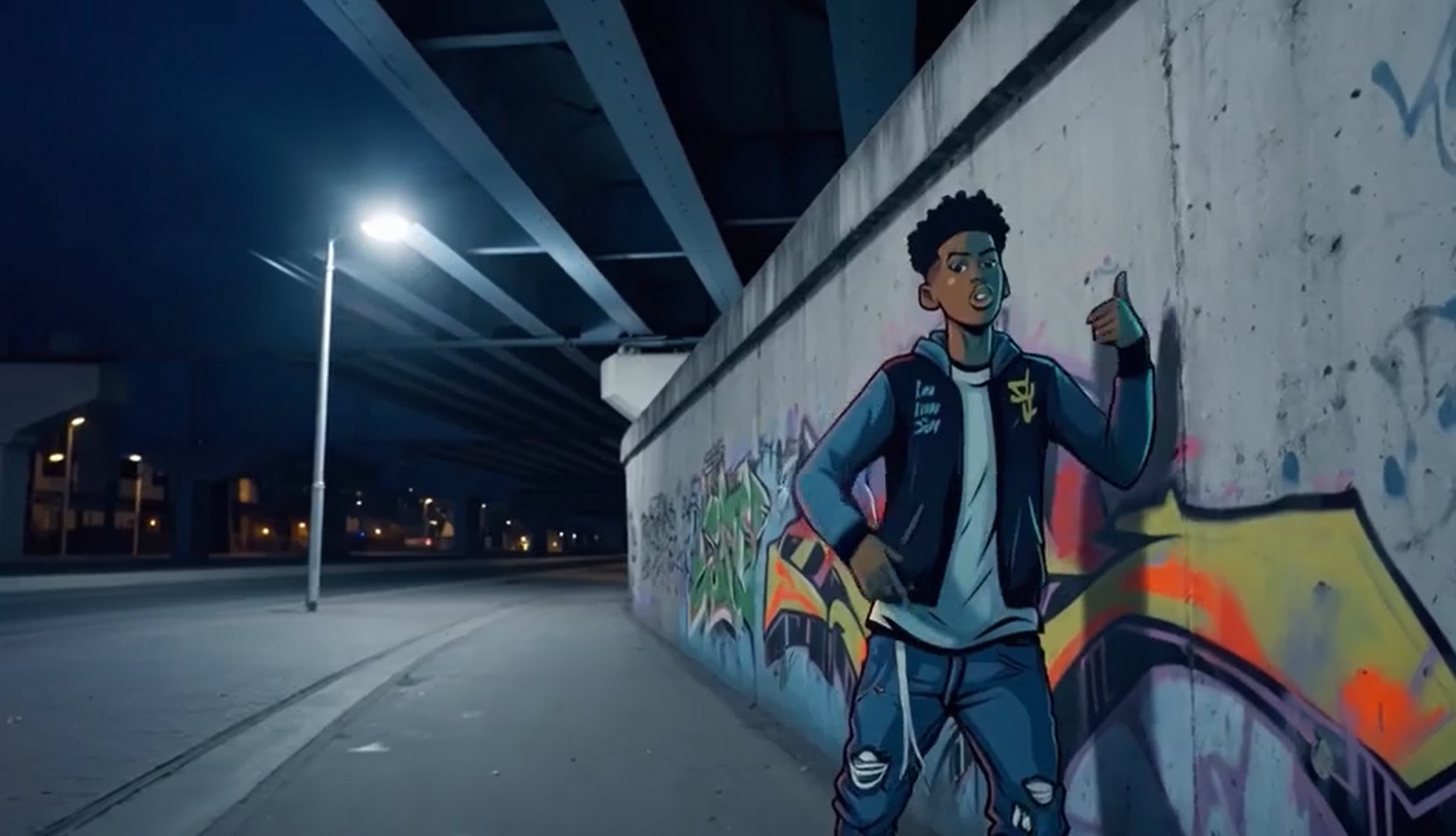 Open the MP3 used to drive the upstream first-frame example.
Supply exactly one `first_frame` and one `last_frame`. Describe the action and transition that should connect the two compositions.
Open the MP3 used to drive the upstream first-frame example.
Supply exactly one `first_frame` and one `last_frame`. Describe the action and transition that should connect the two compositions.
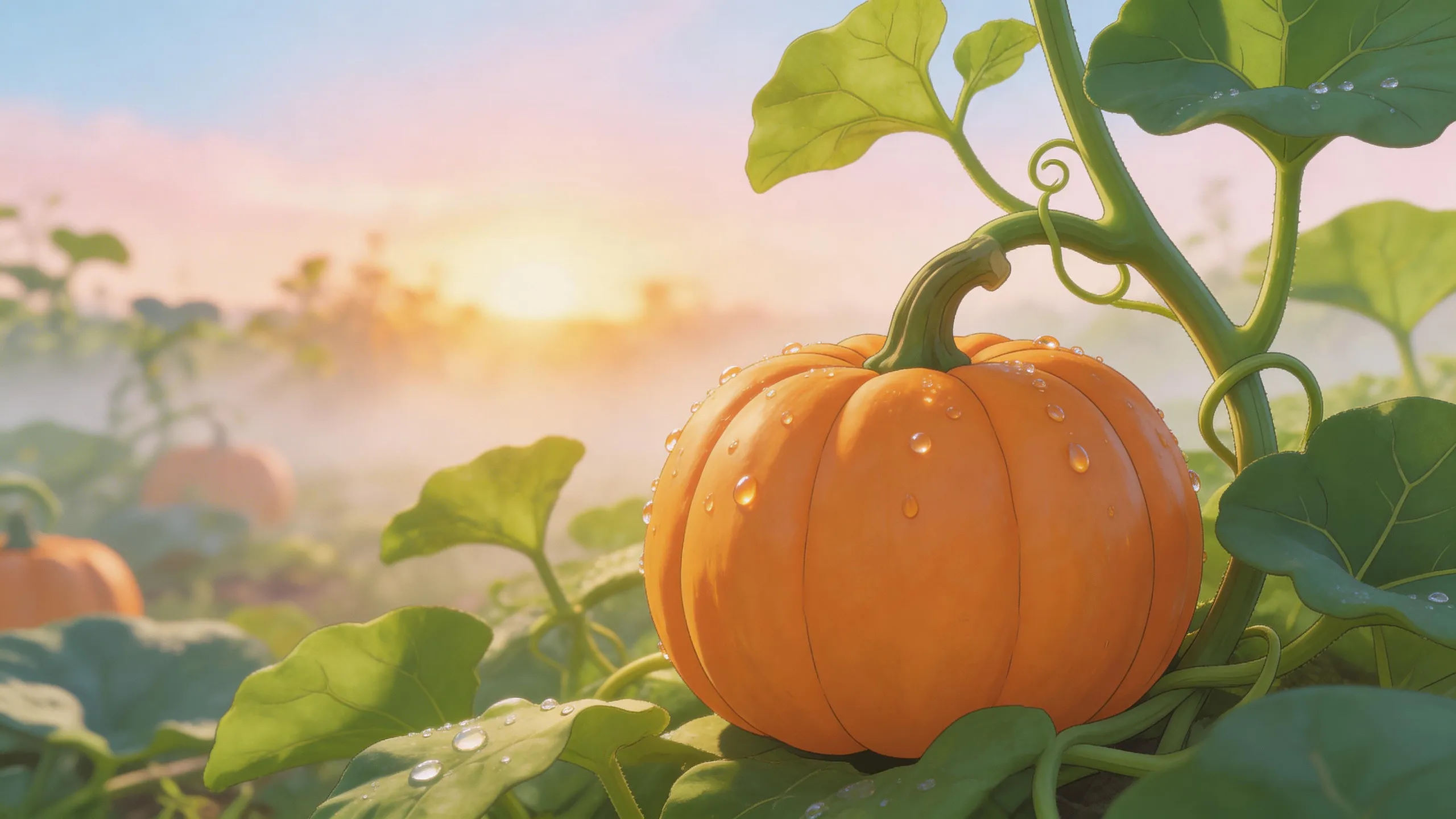
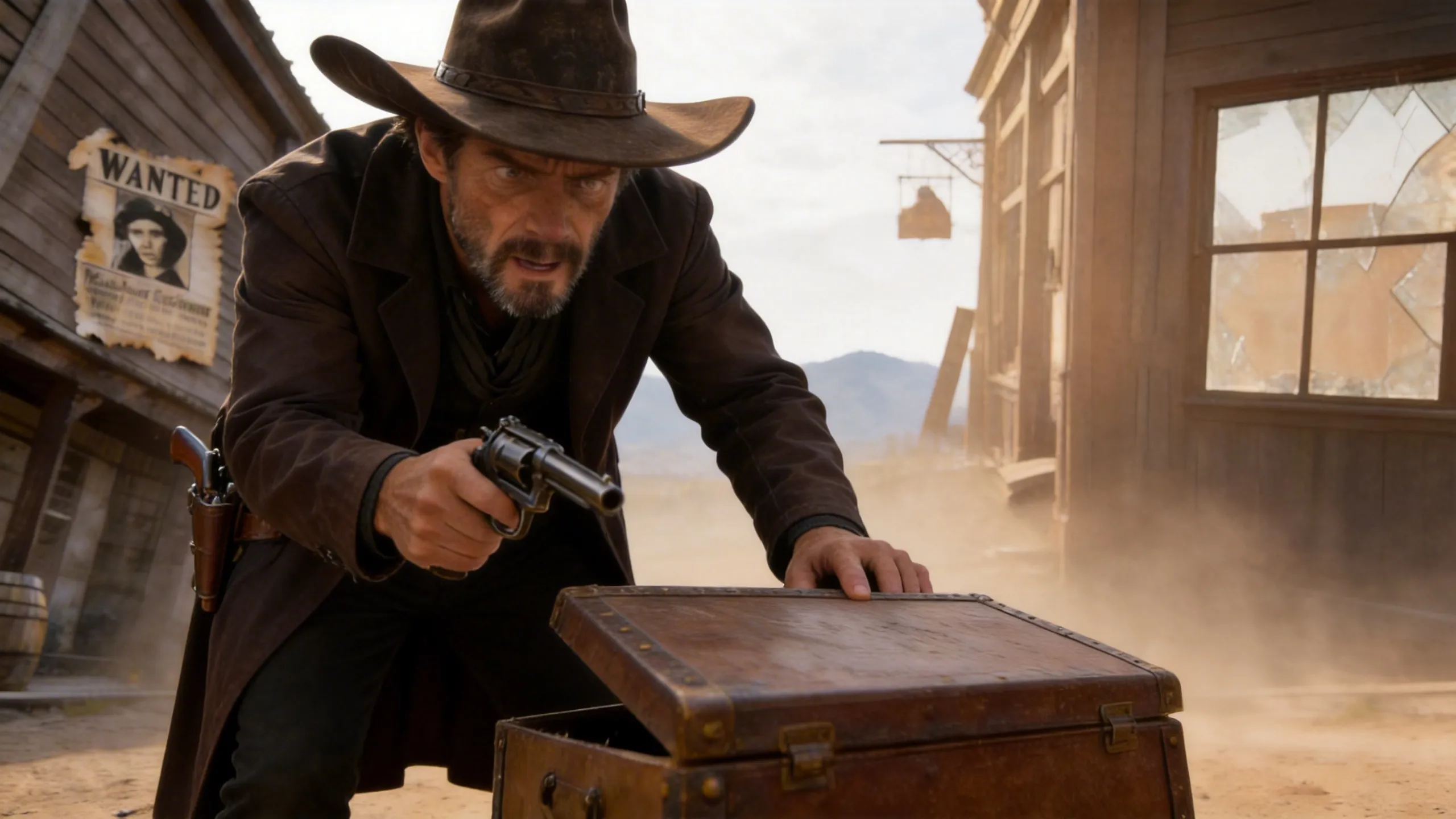
 Supply one `first_clip`. You may add one `last_frame` to control the ending. The requested `duration` is the total duration, including the input clip.
 ## Create a task
```bash cURL theme={null}
curl --request POST \
--url https://www.anyfast.ai/v1/video/generations \
--header 'Authorization: Bearer YOUR_API_KEY' \
--header 'Content-Type: application/json' \
--data '{
"model": "wan2.7-i2v",
"input": {
"prompt": "The graffiti character comes alive and performs an energetic rap beneath the railway bridge. Natural lip movement and a smooth camera push-in.",
"media": [
{
"type": "first_frame",
"url": "https://help-static-aliyun-doc.aliyuncs.com/file-manage-files/zh-CN/20250925/wpimhv/rap.png"
},
{
"type": "driving_audio",
"url": "https://help-static-aliyun-doc.aliyuncs.com/file-manage-files/en-US/20260416/jwfapw/rap.mp3"
}
]
},
"parameters": {
"resolution": "1080P",
"duration": 8,
"prompt_extend": true,
"watermark": false,
"seed": 42
}
}'
```
```bash cURL theme={null}
curl --request POST \
--url https://www.anyfast.ai/v1/video/generations \
--header 'Authorization: Bearer YOUR_API_KEY' \
--header 'Content-Type: application/json' \
--data '{
"model": "wan2.7-i2v",
"input": {
"prompt": "The camera glides forward as the scene changes smoothly from the first composition to the final composition, preserving the subject and lighting.",
"media": [
{
"type": "first_frame",
"url": "https://help-static-aliyun-doc.aliyuncs.com/file-manage-files/zh-CN/20260414/welyei/wan2.7-i2v-first-frame.webp"
},
{
"type": "last_frame",
"url": "https://help-static-aliyun-doc.aliyuncs.com/file-manage-files/zh-CN/20260414/zongha/wan2.7-i2v-last-frame.webp"
}
]
},
"parameters": {
"resolution": "1080P",
"duration": 8,
"prompt_extend": true,
"watermark": false,
"seed": 42
}
}'
```
```bash cURL theme={null}
curl --request POST \
--url https://www.anyfast.ai/v1/video/generations \
--header 'Authorization: Bearer YOUR_API_KEY' \
--header 'Content-Type: application/json' \
--data '{
"model": "wan2.7-i2v",
"input": {
"prompt": "Continue the camera movement and character action naturally, then settle into the supplied ending frame with consistent color and lighting.",
"media": [
{
"type": "first_clip",
"url": "https://help-static-aliyun-doc.aliyuncs.com/file-manage-files/zh-CN/20260414/cqcbkw/wan2.7-i2v-video-continuation.mp4"
},
{
"type": "last_frame",
"url": "https://help-static-aliyun-doc.aliyuncs.com/file-manage-files/zh-CN/20260414/mrwahg/wan2.7-i2v-video-continuation.webp"
}
]
},
"parameters": {
"resolution": "1080P",
"duration": 12,
"prompt_extend": true,
"watermark": false,
"seed": 42
}
}'
```
The create endpoint is asynchronous. Save the returned task ID and poll the [Wan2 task query endpoint](/guides/model-api/alibaba/wan2-task-query).
## Valid media combinations
Wan2.7 I2V accepts only the following six combinations. Each listed type can appear no more than once.
| Workflow | Exact `input.media` combination |
| ------------------------------------ | ---------------------------------------------- |
| First frame | `first_frame` |
| First frame with audio | `first_frame` + `driving_audio` |
| First and last frames | `first_frame` + `last_frame` |
| First and last frames with audio | `first_frame` + `last_frame` + `driving_audio` |
| Video continuation | `first_clip` |
| Video continuation with ending frame | `first_clip` + `last_frame` |
Do not mix `first_clip` with `first_frame` or `driving_audio`, and do not send any duplicate media type.
## Input and text limits
The limits below follow the [Alibaba Cloud Wan2.7 image-to-video API reference](https://www.alibabacloud.com/help/en/model-studio/image-to-video-general-api-reference).
### Images
These rules apply to `first_frame` and `last_frame`.
| Property | Requirement |
| ------------ | ----------------------------------------------------- |
| Input | Public URL or Base64 data URL |
| Formats | JPEG, JPG, PNG without an alpha channel, BMP, or WEBP |
| Dimensions | Each side from 240 to 8,000 px |
| Aspect ratio | Between 1:8 and 8:1 |
| File size | Up to 20 MB per image |
### Driving audio
| Property | Requirement |
| --------- | ------------ |
| Input | Public URL |
| Formats | WAV or MP3 |
| Duration | 2–30 seconds |
| File size | Up to 15 MB |
Audio longer than the requested video is truncated; when it is shorter, the remaining video is silent.
### Initial clip
| Property | Requirement |
| ------------ | ------------------------------ |
| Input | Public URL |
| Formats | MP4 or MOV |
| Duration | 2–10 seconds |
| Dimensions | Each side from 240 to 4,096 px |
| Aspect ratio | Between 1:8 and 8:1 |
| File size | Up to 100 MB |
### Text
* `input.prompt` is optional when valid media is present. It accepts up to 5,000 characters; each Chinese character, letter, number, space, and punctuation mark counts as one character. Excess content is automatically truncated.
* `input.negative_prompt` accepts up to 500 characters. Excess content is automatically truncated.
## Control the output
| Parameter | Behavior |
| -------------------------- | -------------------------------------------------------------------------------------------------------------------- |
| `parameters.resolution` | `1080P` by default; `720P` is also supported |
| `parameters.duration` | Total output duration from 2 to 15 seconds; default `5` |
| `parameters.prompt_extend` | Defaults to `true`; rewrites and enriches the prompt |
| `parameters.watermark` | Defaults to `false`; `true` adds an `AI Generated` watermark in the lower-right corner |
| `parameters.seed` | Integer from `0` to `2147483647`; reusing a seed improves reproducibility but does not guarantee an identical result |
For continuation, `duration` includes the complete input clip and the newly generated continuation. Choose a value at least as long as the input clip. The output aspect ratio follows the first frame or first clip. All outputs are 30 fps MP4 files encoded with H.264.
## Prompting tips
* For first-frame animation, describe motion after the supplied image: subject action, camera movement, timing, dialogue, and sound.
* For first-and-last-frame generation, describe how the subject and camera move between the two compositions.
* For continuation, describe only the action that should follow the input clip and how it should reach the ending frame, if provided.
* Keep critical instructions first because excess prompt and negative-prompt content is automatically truncated.
## Query and retain the result
Poll `GET https://www.anyfast.ai/v1/video/generations/{TASK_ID}` until the AnyFast outer `data.status` reaches `SUCCESS` or `FAILURE`. Pending states are `NOT_START`, `QUEUED`, and `IN_PROGRESS`; `data.progress` is a percentage string such as `"0%"` or `"100%"`.
The nested `data.data.output.task_status` is the upstream provider status. Do not use it in place of the AnyFast outer status when controlling your polling loop. See [Wan2 Task Query](/guides/model-api/alibaba/wan2-task-query) for the full response shape.
* The task can be queried for 24 hours after creation.
* A successful result URL remains valid for 24 hours. Download or transfer the video promptly.
View the complete request and response schema.
Wan2.7 R2V generates a new video from reference images and videos while preserving subjects, objects, settings, motion, and voices. Use the corresponding AnyFast model ID `wan2.7-r2v` with `POST https://www.anyfast.ai/v1/video/generations`.
For specific content requests, select `wan2.7-r2v-nsfw` under the `Direct` resource group and set `parameters.prompt_extend` to `false`. The `-nsfw` model ID and this setting are AnyFast platform requirements.
## Key capabilities
| Capability | Behavior |
| ------------------------ | ----------------------------------------------------------------------------------------- |
| Mixed subject references | Combine `reference_image` and `reference_video` items; up to 5 references in total |
| Voice preservation | Attach `reference_voice` to a reference image or video |
| Multi-panel storyboard | Use one image containing several panels to describe a shot sequence |
| First-frame control | Add at most one `first_frame` alongside reference media to anchor the opening composition |
| Output | 720P or 1080P, 30 fps MP4 (H.264) |
A request must contain at least one `reference_image` or `reference_video`. Images and videos are numbered independently by their order within each type. Refer to them in the prompt as `Image 1`, `Image 2`, `Video 1`, and so on.
## Capability examples
The media below comes from Alibaba Cloud's upstream examples. It demonstrates model inputs and outputs and was not reproduced through AnyFast.
Combine a subject video, a subject image, a background image, and voice samples. Attach each voice URL to the corresponding reference item with `reference_voice`.
## Create a task
```bash cURL theme={null}
curl --request POST \
--url https://www.anyfast.ai/v1/video/generations \
--header 'Authorization: Bearer YOUR_API_KEY' \
--header 'Content-Type: application/json' \
--data '{
"model": "wan2.7-i2v",
"input": {
"prompt": "The graffiti character comes alive and performs an energetic rap beneath the railway bridge. Natural lip movement and a smooth camera push-in.",
"media": [
{
"type": "first_frame",
"url": "https://help-static-aliyun-doc.aliyuncs.com/file-manage-files/zh-CN/20250925/wpimhv/rap.png"
},
{
"type": "driving_audio",
"url": "https://help-static-aliyun-doc.aliyuncs.com/file-manage-files/en-US/20260416/jwfapw/rap.mp3"
}
]
},
"parameters": {
"resolution": "1080P",
"duration": 8,
"prompt_extend": true,
"watermark": false,
"seed": 42
}
}'
```
```bash cURL theme={null}
curl --request POST \
--url https://www.anyfast.ai/v1/video/generations \
--header 'Authorization: Bearer YOUR_API_KEY' \
--header 'Content-Type: application/json' \
--data '{
"model": "wan2.7-i2v",
"input": {
"prompt": "The camera glides forward as the scene changes smoothly from the first composition to the final composition, preserving the subject and lighting.",
"media": [
{
"type": "first_frame",
"url": "https://help-static-aliyun-doc.aliyuncs.com/file-manage-files/zh-CN/20260414/welyei/wan2.7-i2v-first-frame.webp"
},
{
"type": "last_frame",
"url": "https://help-static-aliyun-doc.aliyuncs.com/file-manage-files/zh-CN/20260414/zongha/wan2.7-i2v-last-frame.webp"
}
]
},
"parameters": {
"resolution": "1080P",
"duration": 8,
"prompt_extend": true,
"watermark": false,
"seed": 42
}
}'
```
```bash cURL theme={null}
curl --request POST \
--url https://www.anyfast.ai/v1/video/generations \
--header 'Authorization: Bearer YOUR_API_KEY' \
--header 'Content-Type: application/json' \
--data '{
"model": "wan2.7-i2v",
"input": {
"prompt": "Continue the camera movement and character action naturally, then settle into the supplied ending frame with consistent color and lighting.",
"media": [
{
"type": "first_clip",
"url": "https://help-static-aliyun-doc.aliyuncs.com/file-manage-files/zh-CN/20260414/cqcbkw/wan2.7-i2v-video-continuation.mp4"
},
{
"type": "last_frame",
"url": "https://help-static-aliyun-doc.aliyuncs.com/file-manage-files/zh-CN/20260414/mrwahg/wan2.7-i2v-video-continuation.webp"
}
]
},
"parameters": {
"resolution": "1080P",
"duration": 12,
"prompt_extend": true,
"watermark": false,
"seed": 42
}
}'
```
The create endpoint is asynchronous. Save the returned task ID and poll the [Wan2 task query endpoint](/guides/model-api/alibaba/wan2-task-query).
## Valid media combinations
Wan2.7 I2V accepts only the following six combinations. Each listed type can appear no more than once.
| Workflow | Exact `input.media` combination |
| ------------------------------------ | ---------------------------------------------- |
| First frame | `first_frame` |
| First frame with audio | `first_frame` + `driving_audio` |
| First and last frames | `first_frame` + `last_frame` |
| First and last frames with audio | `first_frame` + `last_frame` + `driving_audio` |
| Video continuation | `first_clip` |
| Video continuation with ending frame | `first_clip` + `last_frame` |
Do not mix `first_clip` with `first_frame` or `driving_audio`, and do not send any duplicate media type.
## Input and text limits
The limits below follow the [Alibaba Cloud Wan2.7 image-to-video API reference](https://www.alibabacloud.com/help/en/model-studio/image-to-video-general-api-reference).
### Images
These rules apply to `first_frame` and `last_frame`.
| Property | Requirement |
| ------------ | ----------------------------------------------------- |
| Input | Public URL or Base64 data URL |
| Formats | JPEG, JPG, PNG without an alpha channel, BMP, or WEBP |
| Dimensions | Each side from 240 to 8,000 px |
| Aspect ratio | Between 1:8 and 8:1 |
| File size | Up to 20 MB per image |
### Driving audio
| Property | Requirement |
| --------- | ------------ |
| Input | Public URL |
| Formats | WAV or MP3 |
| Duration | 2–30 seconds |
| File size | Up to 15 MB |
Audio longer than the requested video is truncated; when it is shorter, the remaining video is silent.
### Initial clip
| Property | Requirement |
| ------------ | ------------------------------ |
| Input | Public URL |
| Formats | MP4 or MOV |
| Duration | 2–10 seconds |
| Dimensions | Each side from 240 to 4,096 px |
| Aspect ratio | Between 1:8 and 8:1 |
| File size | Up to 100 MB |
### Text
* `input.prompt` is optional when valid media is present. It accepts up to 5,000 characters; each Chinese character, letter, number, space, and punctuation mark counts as one character. Excess content is automatically truncated.
* `input.negative_prompt` accepts up to 500 characters. Excess content is automatically truncated.
## Control the output
| Parameter | Behavior |
| -------------------------- | -------------------------------------------------------------------------------------------------------------------- |
| `parameters.resolution` | `1080P` by default; `720P` is also supported |
| `parameters.duration` | Total output duration from 2 to 15 seconds; default `5` |
| `parameters.prompt_extend` | Defaults to `true`; rewrites and enriches the prompt |
| `parameters.watermark` | Defaults to `false`; `true` adds an `AI Generated` watermark in the lower-right corner |
| `parameters.seed` | Integer from `0` to `2147483647`; reusing a seed improves reproducibility but does not guarantee an identical result |
For continuation, `duration` includes the complete input clip and the newly generated continuation. Choose a value at least as long as the input clip. The output aspect ratio follows the first frame or first clip. All outputs are 30 fps MP4 files encoded with H.264.
## Prompting tips
* For first-frame animation, describe motion after the supplied image: subject action, camera movement, timing, dialogue, and sound.
* For first-and-last-frame generation, describe how the subject and camera move between the two compositions.
* For continuation, describe only the action that should follow the input clip and how it should reach the ending frame, if provided.
* Keep critical instructions first because excess prompt and negative-prompt content is automatically truncated.
## Query and retain the result
Poll `GET https://www.anyfast.ai/v1/video/generations/{TASK_ID}` until the AnyFast outer `data.status` reaches `SUCCESS` or `FAILURE`. Pending states are `NOT_START`, `QUEUED`, and `IN_PROGRESS`; `data.progress` is a percentage string such as `"0%"` or `"100%"`.
The nested `data.data.output.task_status` is the upstream provider status. Do not use it in place of the AnyFast outer status when controlling your polling loop. See [Wan2 Task Query](/guides/model-api/alibaba/wan2-task-query) for the full response shape.
* The task can be queried for 24 hours after creation.
* A successful result URL remains valid for 24 hours. Download or transfer the video promptly.
View the complete request and response schema.
Wan2.7 R2V generates a new video from reference images and videos while preserving subjects, objects, settings, motion, and voices. Use the corresponding AnyFast model ID `wan2.7-r2v` with `POST https://www.anyfast.ai/v1/video/generations`.
For specific content requests, select `wan2.7-r2v-nsfw` under the `Direct` resource group and set `parameters.prompt_extend` to `false`. The `-nsfw` model ID and this setting are AnyFast platform requirements.
## Key capabilities
| Capability | Behavior |
| ------------------------ | ----------------------------------------------------------------------------------------- |
| Mixed subject references | Combine `reference_image` and `reference_video` items; up to 5 references in total |
| Voice preservation | Attach `reference_voice` to a reference image or video |
| Multi-panel storyboard | Use one image containing several panels to describe a shot sequence |
| First-frame control | Add at most one `first_frame` alongside reference media to anchor the opening composition |
| Output | 720P or 1080P, 30 fps MP4 (H.264) |
A request must contain at least one `reference_image` or `reference_video`. Images and videos are numbered independently by their order within each type. Refer to them in the prompt as `Image 1`, `Image 2`, `Video 1`, and so on.
## Capability examples
The media below comes from Alibaba Cloud's upstream examples. It demonstrates model inputs and outputs and was not reproduced through AnyFast.
Combine a subject video, a subject image, a background image, and voice samples. Attach each voice URL to the corresponding reference item with `reference_voice`.
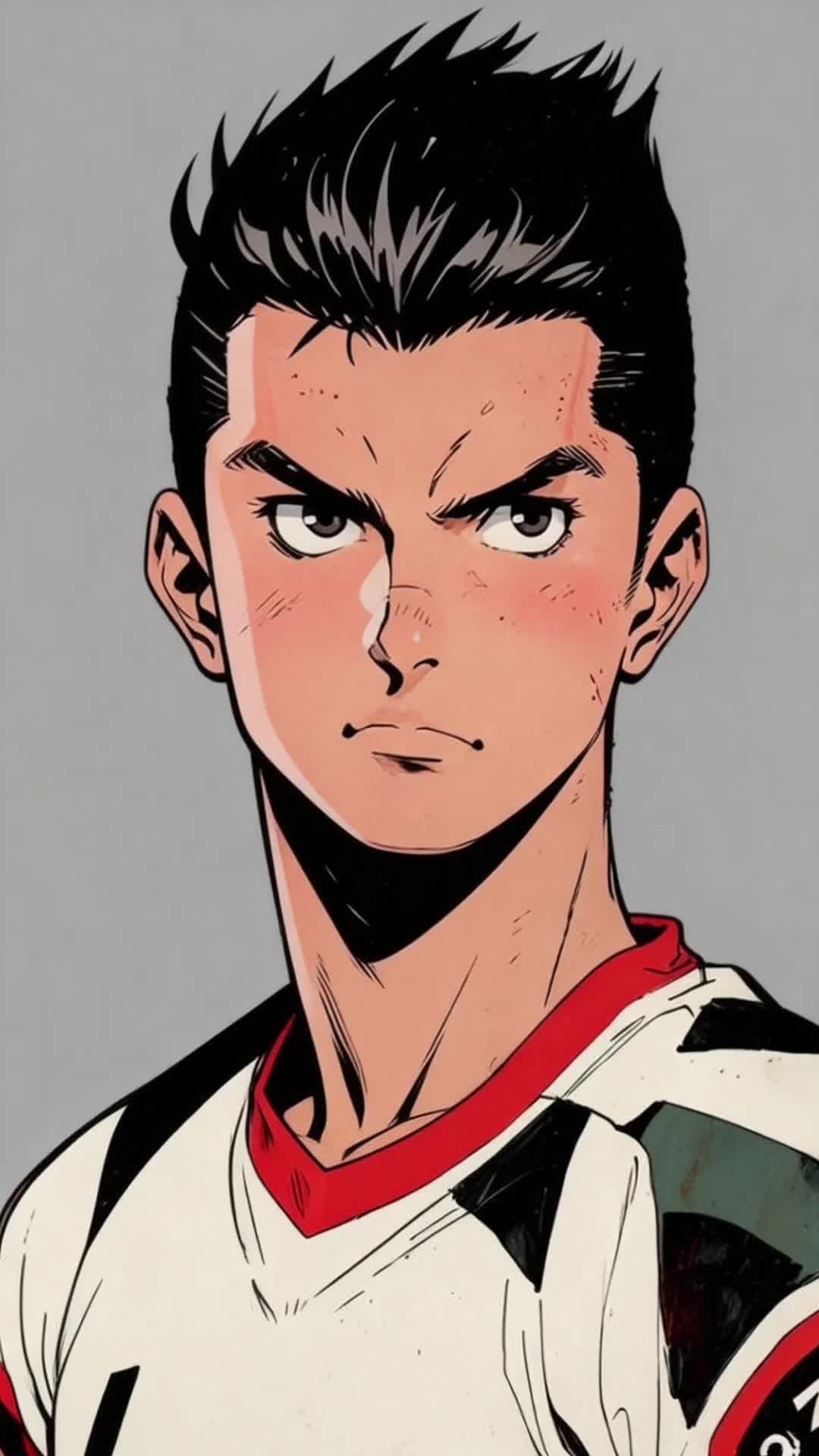
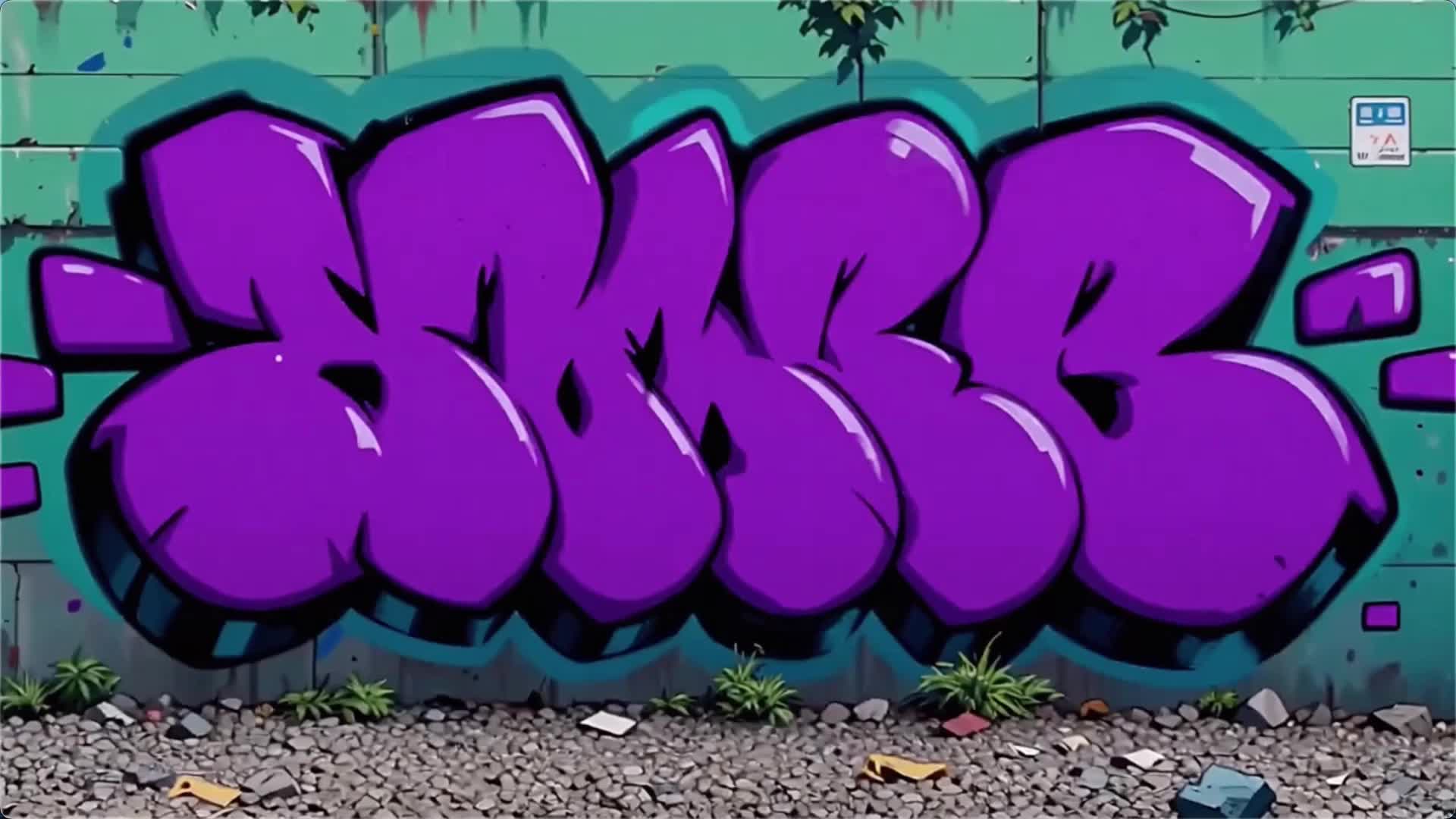 Open the upstream voice sample attached to Video 1.
Open the upstream voice sample attached to Image 1.
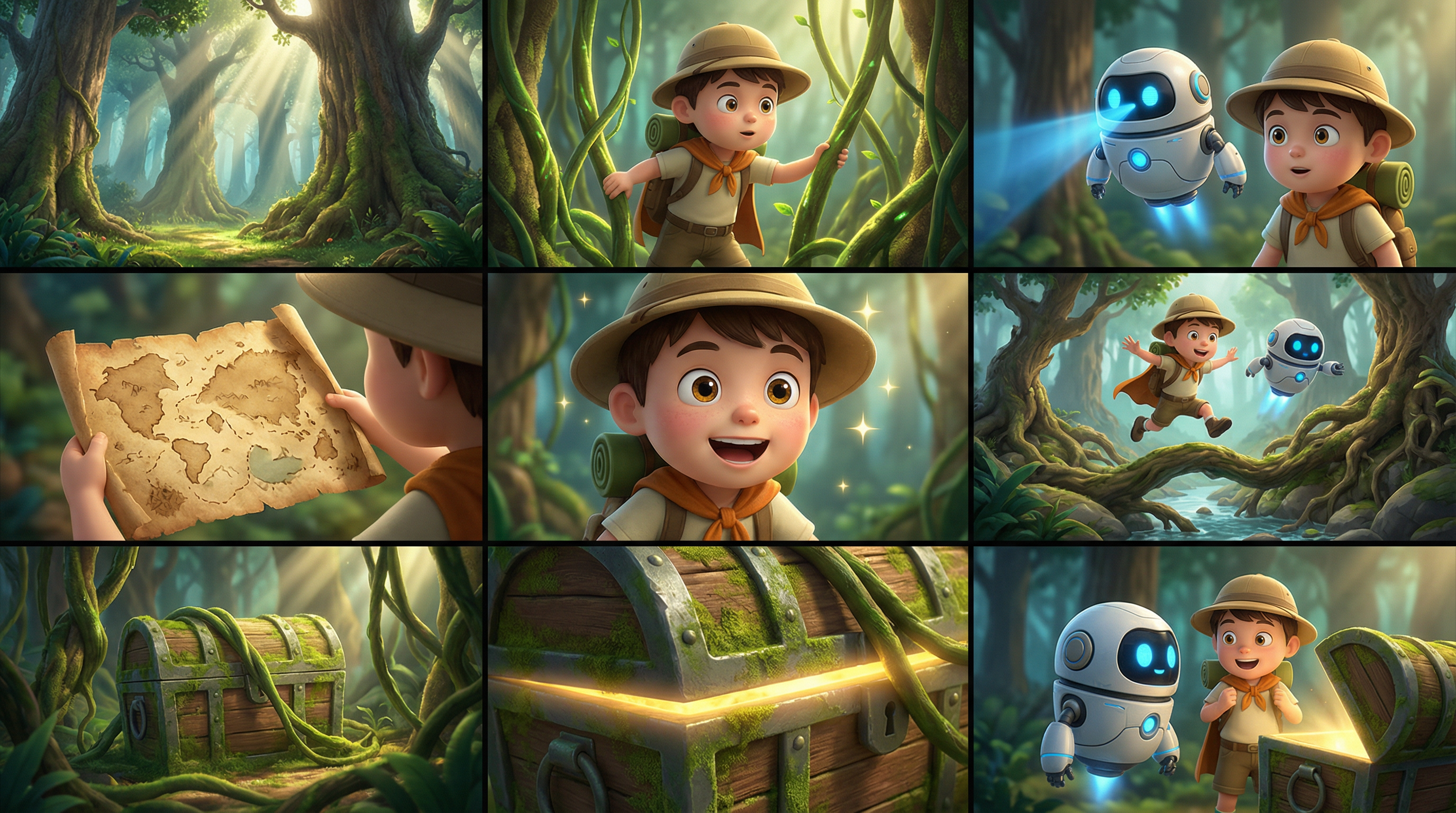
Use one `reference_image` that contains multiple storyboard panels. Describe the intended order, subject actions, camera changes, and transitions in the prompt; do not upload each panel as a separate reference.
Open the upstream voice sample attached to Video 1.
Open the upstream voice sample attached to Image 1.
Use one `reference_image` that contains multiple storyboard panels. Describe the intended order, subject actions, camera changes, and transitions in the prompt; do not upload each panel as a separate reference.
 Add one `first_frame` in addition to the required reference media. The first frame fixes the opening composition; the reference images or videos still provide identity and appearance.

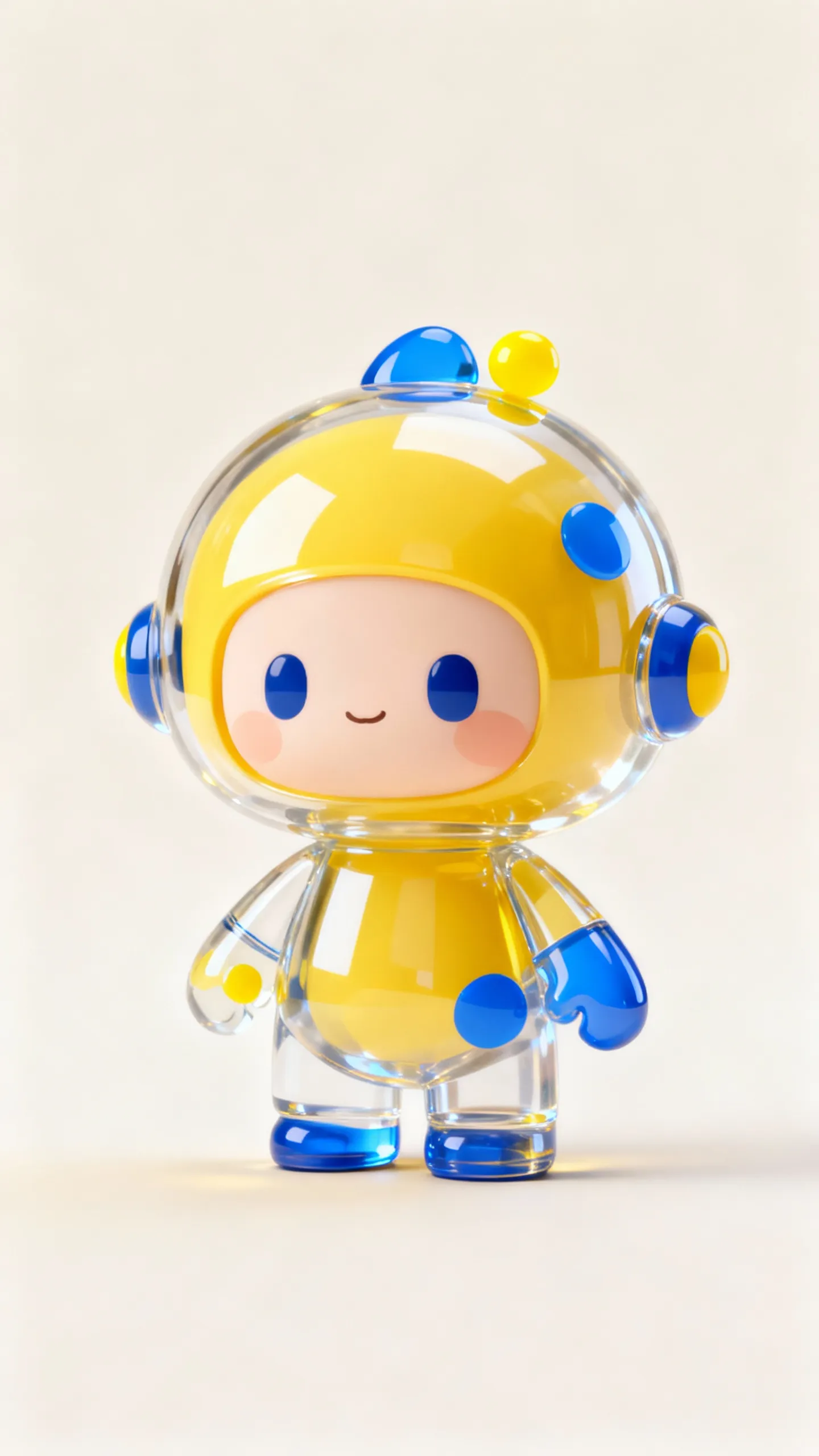
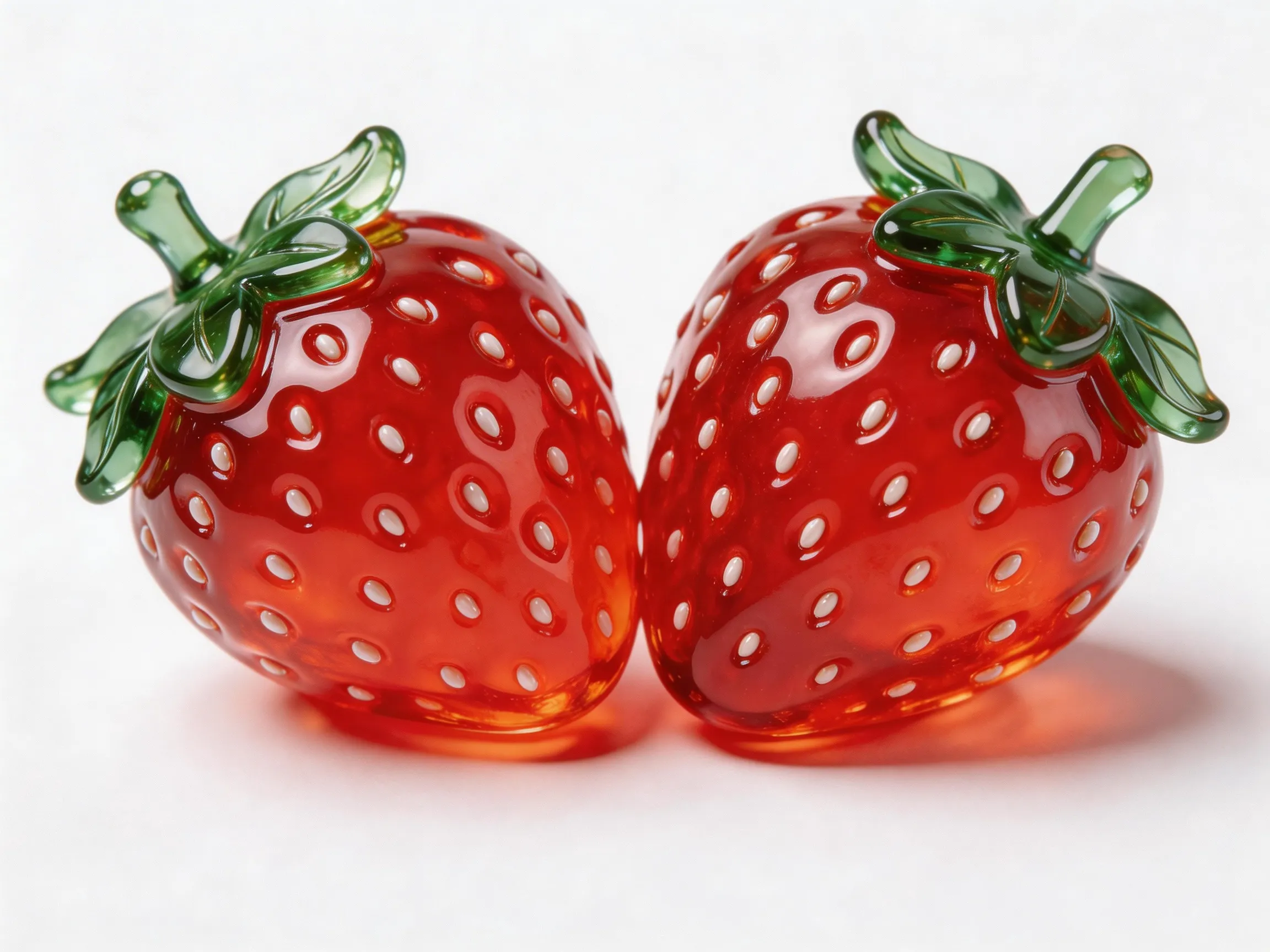 When `first_frame` is present, `parameters.ratio` is ignored and the output aspect ratio follows the first frame.
## Create a task
```bash cURL theme={null}
curl --request POST \
--url https://www.anyfast.ai/v1/video/generations \
--header 'Authorization: Bearer YOUR_API_KEY' \
--header 'Content-Type: application/json' \
--data '{
"model": "wan2.7-r2v",
"input": {
"prompt": "Video 1 walks in from the deep left side of the frame. Then the shot cuts to a close-up of Image 1. Video 1 is leaning against the rusty wall on the right side from Image 2. Hearing the footsteps, she slowly turns her head. After seeing Image 1, Video 1 says, Why did you still come? Image 1 replies, Let us talk.",
"media": [
{
"type": "reference_video",
"url": "https://help-static-aliyun-doc.aliyuncs.com/file-manage-files/zh-CN/20260416/pfgcuv/wan-r2v-girl-en.mp4",
"reference_voice": "https://help-static-aliyun-doc.aliyuncs.com/file-manage-files/zh-CN/20260416/exiikq/wan-r2v-girl-demo-voice-en.mp3"
},
{
"type": "reference_image",
"url": "https://help-static-aliyun-doc.aliyuncs.com/file-manage-files/zh-CN/20260416/skhalj/wan-r2v-boy-en.jpg",
"reference_voice": "https://help-static-aliyun-doc.aliyuncs.com/file-manage-files/zh-CN/20260416/pqxdoi/wan-r2v-boy-voice-en.mp3"
},
{
"type": "reference_image",
"url": "https://help-static-aliyun-doc.aliyuncs.com/file-manage-files/zh-CN/20260416/vyqjxd/wan-r2v-bg-en.jpg"
}
]
},
"parameters": {
"resolution": "1080P",
"ratio": "16:9",
"duration": 8,
"prompt_extend": true,
"watermark": false,
"seed": 42
}
}'
```
```bash cURL theme={null}
curl --request POST \
--url https://www.anyfast.ai/v1/video/generations \
--header 'Authorization: Bearer YOUR_API_KEY' \
--header 'Content-Type: application/json' \
--data '{
"model": "wan2.7-r2v",
"input": {
"prompt": "Use Image 1 as a storyboard. Shot 1: Establish the banana character and setting from the first panel. Shot 2: Follow the action shown in the middle panels with a smooth camera move. Shot 3: End on the composition in the final panel, preserving the same character design.",
"media": [{
"type": "reference_image",
"url": "https://help-static-aliyun-doc.aliyuncs.com/file-manage-files/zh-CN/20260403/wgjaxy/banana_storyboard_00000020.png"
}]
},
"parameters": {
"resolution": "1080P",
"ratio": "16:9",
"duration": 12,
"prompt_extend": true,
"watermark": false,
"seed": 42
}
}'
```
```bash cURL theme={null}
curl --request POST \
--url https://www.anyfast.ai/v1/video/generations \
--header 'Authorization: Bearer YOUR_API_KEY' \
--header 'Content-Type: application/json' \
--data '{
"model": "wan2.7-r2v",
"input": {
"prompt": "An overhead shot captures a blue planet. The camera gradually zooms in toward the surface and cuts to a close-up of Image 1, who is holding Image 2 and eating it while saying: Why is not anyone coming to hang out with me?",
"media": [
{
"type": "first_frame",
"url": "https://help-static-aliyun-doc.aliyuncs.com/file-manage-files/zh-CN/20260414/ixwovg/wan2.7-r2v-first-frame.webp"
},
{
"type": "reference_image",
"url": "https://help-static-aliyun-doc.aliyuncs.com/file-manage-files/zh-CN/20260414/fkltfw/wan2.7-r2v-image-qq.webp"
},
{
"type": "reference_image",
"url": "https://help-static-aliyun-doc.aliyuncs.com/file-manage-files/zh-CN/20260414/kxkbsv/wan2.7-r2v-image-ob.webp"
}
]
},
"parameters": {
"resolution": "1080P",
"duration": 8,
"prompt_extend": true,
"watermark": false,
"seed": 42
}
}'
```
The create endpoint is asynchronous. Save the returned task ID and poll the [Wan2 task query endpoint](/guides/model-api/alibaba/wan2-task-query).
## How reference numbering works
Reference images and reference videos are numbered separately according to their order in `input.media`.
* The first `reference_image` is `Image 1`, even if a `reference_video` appears before it.
* The first `reference_video` is `Video 1`.
* A `first_frame` does not become `Image 1` and does not count toward the combined limit of 5 reference images and videos.
* Attach `reference_voice` only to the `reference_image` or `reference_video` whose voice it should preserve.
## Input and text limits
The limits below follow the [Alibaba Cloud Wan2.7 reference-to-video API reference](https://www.alibabacloud.com/help/en/model-studio/wan-video-to-video-api-reference).
### Images
These rules apply to `reference_image` and `first_frame`.
| Property | Requirement |
| ------------ | ----------------------------------------------------- |
| Input | Public URL or Base64 data URL |
| Formats | JPEG, JPG, PNG without an alpha channel, BMP, or WEBP |
| Dimensions | Each side from 240 to 8,000 px |
| Aspect ratio | Between 1:8 and 8:1 |
| File size | Up to 20 MB per image |
### Reference videos
| Property | Requirement |
| ------------ | ------------------------------ |
| Input | Public URL |
| Formats | MP4 or MOV |
| Duration | 1–30 seconds |
| Dimensions | Each side from 240 to 4,096 px |
| Aspect ratio | Between 1:8 and 8:1 |
| File size | Up to 100 MB per video |
### Reference voices
| Property | Requirement |
| --------- | ------------------------------- |
| Input | Public URL on `reference_voice` |
| Formats | WAV or MP3 |
| Duration | 1–10 seconds |
| File size | Up to 15 MB |
`reference_voice` controls voice characteristics, not the dialogue text. If a reference video contains audio and no `reference_voice` is supplied, its original audio is used; an explicit `reference_voice` takes precedence.
### Counts and text
* Include at least one `reference_image` or `reference_video`; the combined count must not exceed 5.
* Add no more than one `first_frame` in addition to the required reference media.
* `input.prompt` is required and accepts up to 5,000 characters. Each Chinese character, letter, number, space, and punctuation mark counts as one character; excess content is automatically truncated.
* `input.negative_prompt` accepts up to 500 characters; excess content is automatically truncated.
## Control the output
| Parameter | Behavior |
| -------------------------- | -------------------------------------------------------------------------------------------------------------------- |
| `parameters.resolution` | `1080P` by default; `720P` is also supported |
| `parameters.ratio` | `16:9` by default; also accepts `9:16`, `1:1`, `4:3`, or `3:4` |
| `parameters.duration` | Default `5`; range depends on whether any reference video is present |
| `parameters.prompt_extend` | Defaults to `true`; rewrites and enriches the prompt |
| `parameters.watermark` | Defaults to `false`; `true` adds an `AI Generated` watermark in the lower-right corner |
| `parameters.seed` | Integer from `0` to `2147483647`; reusing a seed improves reproducibility but does not guarantee an identical result |
If the request contains any `reference_video`, set `duration` to an integer from 2 to 10 seconds. With images only, use an integer from 2 to 15 seconds. When `first_frame` is present, `ratio` is ignored and the output ratio follows that frame. All outputs are 30 fps MP4 files encoded with H.264.
In a successful R2V query, `usage.duration` is the provider-reported billable total and equals `usage.input_video_duration + usage.output_video_duration`. Reference-video input is capped at 5 billable seconds in total. With `N` reference videos, each video contributes at most `5 / N` seconds, so `usage.input_video_duration` can be shorter than the original media duration. Use the returned usage values for reconciliation.
## Prompting tips
* State what each `Image N` and `Video N` contributes: identity, clothing, object, setting, motion, camera behavior, or dialogue.
* Put each line of dialogue after the speaking reference label so the correct `reference_voice` is applied.
* For a multi-panel storyboard, use one storyboard image and write the panel sequence as explicit shots and transitions.
* Keep critical instructions first because excess prompt and negative-prompt content is automatically truncated.
## Query and retain the result
Poll `GET https://www.anyfast.ai/v1/video/generations/{TASK_ID}` until the AnyFast outer `data.status` reaches `SUCCESS` or `FAILURE`. Pending states are `NOT_START`, `QUEUED`, and `IN_PROGRESS`; `data.progress` is a percentage string such as `"0%"` or `"100%"`.
The nested `data.data.output.task_status` is the upstream provider status. Do not use it in place of the AnyFast outer status when controlling your polling loop. See [Wan2 Task Query](/guides/model-api/alibaba/wan2-task-query) for the full response shape.
* The task can be queried for 24 hours after creation.
* A successful result URL remains valid for 24 hours. Download or transfer the video promptly.
View the complete request and response schema.
When `first_frame` is present, `parameters.ratio` is ignored and the output aspect ratio follows the first frame.
## Create a task
```bash cURL theme={null}
curl --request POST \
--url https://www.anyfast.ai/v1/video/generations \
--header 'Authorization: Bearer YOUR_API_KEY' \
--header 'Content-Type: application/json' \
--data '{
"model": "wan2.7-r2v",
"input": {
"prompt": "Video 1 walks in from the deep left side of the frame. Then the shot cuts to a close-up of Image 1. Video 1 is leaning against the rusty wall on the right side from Image 2. Hearing the footsteps, she slowly turns her head. After seeing Image 1, Video 1 says, Why did you still come? Image 1 replies, Let us talk.",
"media": [
{
"type": "reference_video",
"url": "https://help-static-aliyun-doc.aliyuncs.com/file-manage-files/zh-CN/20260416/pfgcuv/wan-r2v-girl-en.mp4",
"reference_voice": "https://help-static-aliyun-doc.aliyuncs.com/file-manage-files/zh-CN/20260416/exiikq/wan-r2v-girl-demo-voice-en.mp3"
},
{
"type": "reference_image",
"url": "https://help-static-aliyun-doc.aliyuncs.com/file-manage-files/zh-CN/20260416/skhalj/wan-r2v-boy-en.jpg",
"reference_voice": "https://help-static-aliyun-doc.aliyuncs.com/file-manage-files/zh-CN/20260416/pqxdoi/wan-r2v-boy-voice-en.mp3"
},
{
"type": "reference_image",
"url": "https://help-static-aliyun-doc.aliyuncs.com/file-manage-files/zh-CN/20260416/vyqjxd/wan-r2v-bg-en.jpg"
}
]
},
"parameters": {
"resolution": "1080P",
"ratio": "16:9",
"duration": 8,
"prompt_extend": true,
"watermark": false,
"seed": 42
}
}'
```
```bash cURL theme={null}
curl --request POST \
--url https://www.anyfast.ai/v1/video/generations \
--header 'Authorization: Bearer YOUR_API_KEY' \
--header 'Content-Type: application/json' \
--data '{
"model": "wan2.7-r2v",
"input": {
"prompt": "Use Image 1 as a storyboard. Shot 1: Establish the banana character and setting from the first panel. Shot 2: Follow the action shown in the middle panels with a smooth camera move. Shot 3: End on the composition in the final panel, preserving the same character design.",
"media": [{
"type": "reference_image",
"url": "https://help-static-aliyun-doc.aliyuncs.com/file-manage-files/zh-CN/20260403/wgjaxy/banana_storyboard_00000020.png"
}]
},
"parameters": {
"resolution": "1080P",
"ratio": "16:9",
"duration": 12,
"prompt_extend": true,
"watermark": false,
"seed": 42
}
}'
```
```bash cURL theme={null}
curl --request POST \
--url https://www.anyfast.ai/v1/video/generations \
--header 'Authorization: Bearer YOUR_API_KEY' \
--header 'Content-Type: application/json' \
--data '{
"model": "wan2.7-r2v",
"input": {
"prompt": "An overhead shot captures a blue planet. The camera gradually zooms in toward the surface and cuts to a close-up of Image 1, who is holding Image 2 and eating it while saying: Why is not anyone coming to hang out with me?",
"media": [
{
"type": "first_frame",
"url": "https://help-static-aliyun-doc.aliyuncs.com/file-manage-files/zh-CN/20260414/ixwovg/wan2.7-r2v-first-frame.webp"
},
{
"type": "reference_image",
"url": "https://help-static-aliyun-doc.aliyuncs.com/file-manage-files/zh-CN/20260414/fkltfw/wan2.7-r2v-image-qq.webp"
},
{
"type": "reference_image",
"url": "https://help-static-aliyun-doc.aliyuncs.com/file-manage-files/zh-CN/20260414/kxkbsv/wan2.7-r2v-image-ob.webp"
}
]
},
"parameters": {
"resolution": "1080P",
"duration": 8,
"prompt_extend": true,
"watermark": false,
"seed": 42
}
}'
```
The create endpoint is asynchronous. Save the returned task ID and poll the [Wan2 task query endpoint](/guides/model-api/alibaba/wan2-task-query).
## How reference numbering works
Reference images and reference videos are numbered separately according to their order in `input.media`.
* The first `reference_image` is `Image 1`, even if a `reference_video` appears before it.
* The first `reference_video` is `Video 1`.
* A `first_frame` does not become `Image 1` and does not count toward the combined limit of 5 reference images and videos.
* Attach `reference_voice` only to the `reference_image` or `reference_video` whose voice it should preserve.
## Input and text limits
The limits below follow the [Alibaba Cloud Wan2.7 reference-to-video API reference](https://www.alibabacloud.com/help/en/model-studio/wan-video-to-video-api-reference).
### Images
These rules apply to `reference_image` and `first_frame`.
| Property | Requirement |
| ------------ | ----------------------------------------------------- |
| Input | Public URL or Base64 data URL |
| Formats | JPEG, JPG, PNG without an alpha channel, BMP, or WEBP |
| Dimensions | Each side from 240 to 8,000 px |
| Aspect ratio | Between 1:8 and 8:1 |
| File size | Up to 20 MB per image |
### Reference videos
| Property | Requirement |
| ------------ | ------------------------------ |
| Input | Public URL |
| Formats | MP4 or MOV |
| Duration | 1–30 seconds |
| Dimensions | Each side from 240 to 4,096 px |
| Aspect ratio | Between 1:8 and 8:1 |
| File size | Up to 100 MB per video |
### Reference voices
| Property | Requirement |
| --------- | ------------------------------- |
| Input | Public URL on `reference_voice` |
| Formats | WAV or MP3 |
| Duration | 1–10 seconds |
| File size | Up to 15 MB |
`reference_voice` controls voice characteristics, not the dialogue text. If a reference video contains audio and no `reference_voice` is supplied, its original audio is used; an explicit `reference_voice` takes precedence.
### Counts and text
* Include at least one `reference_image` or `reference_video`; the combined count must not exceed 5.
* Add no more than one `first_frame` in addition to the required reference media.
* `input.prompt` is required and accepts up to 5,000 characters. Each Chinese character, letter, number, space, and punctuation mark counts as one character; excess content is automatically truncated.
* `input.negative_prompt` accepts up to 500 characters; excess content is automatically truncated.
## Control the output
| Parameter | Behavior |
| -------------------------- | -------------------------------------------------------------------------------------------------------------------- |
| `parameters.resolution` | `1080P` by default; `720P` is also supported |
| `parameters.ratio` | `16:9` by default; also accepts `9:16`, `1:1`, `4:3`, or `3:4` |
| `parameters.duration` | Default `5`; range depends on whether any reference video is present |
| `parameters.prompt_extend` | Defaults to `true`; rewrites and enriches the prompt |
| `parameters.watermark` | Defaults to `false`; `true` adds an `AI Generated` watermark in the lower-right corner |
| `parameters.seed` | Integer from `0` to `2147483647`; reusing a seed improves reproducibility but does not guarantee an identical result |
If the request contains any `reference_video`, set `duration` to an integer from 2 to 10 seconds. With images only, use an integer from 2 to 15 seconds. When `first_frame` is present, `ratio` is ignored and the output ratio follows that frame. All outputs are 30 fps MP4 files encoded with H.264.
In a successful R2V query, `usage.duration` is the provider-reported billable total and equals `usage.input_video_duration + usage.output_video_duration`. Reference-video input is capped at 5 billable seconds in total. With `N` reference videos, each video contributes at most `5 / N` seconds, so `usage.input_video_duration` can be shorter than the original media duration. Use the returned usage values for reconciliation.
## Prompting tips
* State what each `Image N` and `Video N` contributes: identity, clothing, object, setting, motion, camera behavior, or dialogue.
* Put each line of dialogue after the speaking reference label so the correct `reference_voice` is applied.
* For a multi-panel storyboard, use one storyboard image and write the panel sequence as explicit shots and transitions.
* Keep critical instructions first because excess prompt and negative-prompt content is automatically truncated.
## Query and retain the result
Poll `GET https://www.anyfast.ai/v1/video/generations/{TASK_ID}` until the AnyFast outer `data.status` reaches `SUCCESS` or `FAILURE`. Pending states are `NOT_START`, `QUEUED`, and `IN_PROGRESS`; `data.progress` is a percentage string such as `"0%"` or `"100%"`.
The nested `data.data.output.task_status` is the upstream provider status. Do not use it in place of the AnyFast outer status when controlling your polling loop. See [Wan2 Task Query](/guides/model-api/alibaba/wan2-task-query) for the full response shape.
* The task can be queried for 24 hours after creation.
* A successful result URL remains valid for 24 hours. Download or transfer the video promptly.
View the complete request and response schema.